

What Hugo does with each message
Hugo works only from the creator’s own inbox and from what you set up for her in OnlyX. When a fan writes, these five things happen in order:- A fan writes. The message reaches the conversation within seconds. Hugo waits a few seconds after the fan’s last message, then answers all of it in one reply. A fan who writes for the first time can take a little longer to appear.
- He reads the whole thread. He reads more than the last line. He sees what she already told this fan, what the fan bought, and what the fan turned down.
- He checks the limits first. Hugo gets her hard limits before every reply. He does not offer, price or describe content that crosses one.
- He writes in her voice. The AI Persona decides the words: her backstory, how she writes and the emoji she uses.
- He sells from AI Content, or not at all. He offers content you mapped in AI Content, priced from its floor. If nothing is mapped, he offers nothing. He never makes up content. He never asks less than the floor you set, or for part of a level, its share of the floor.
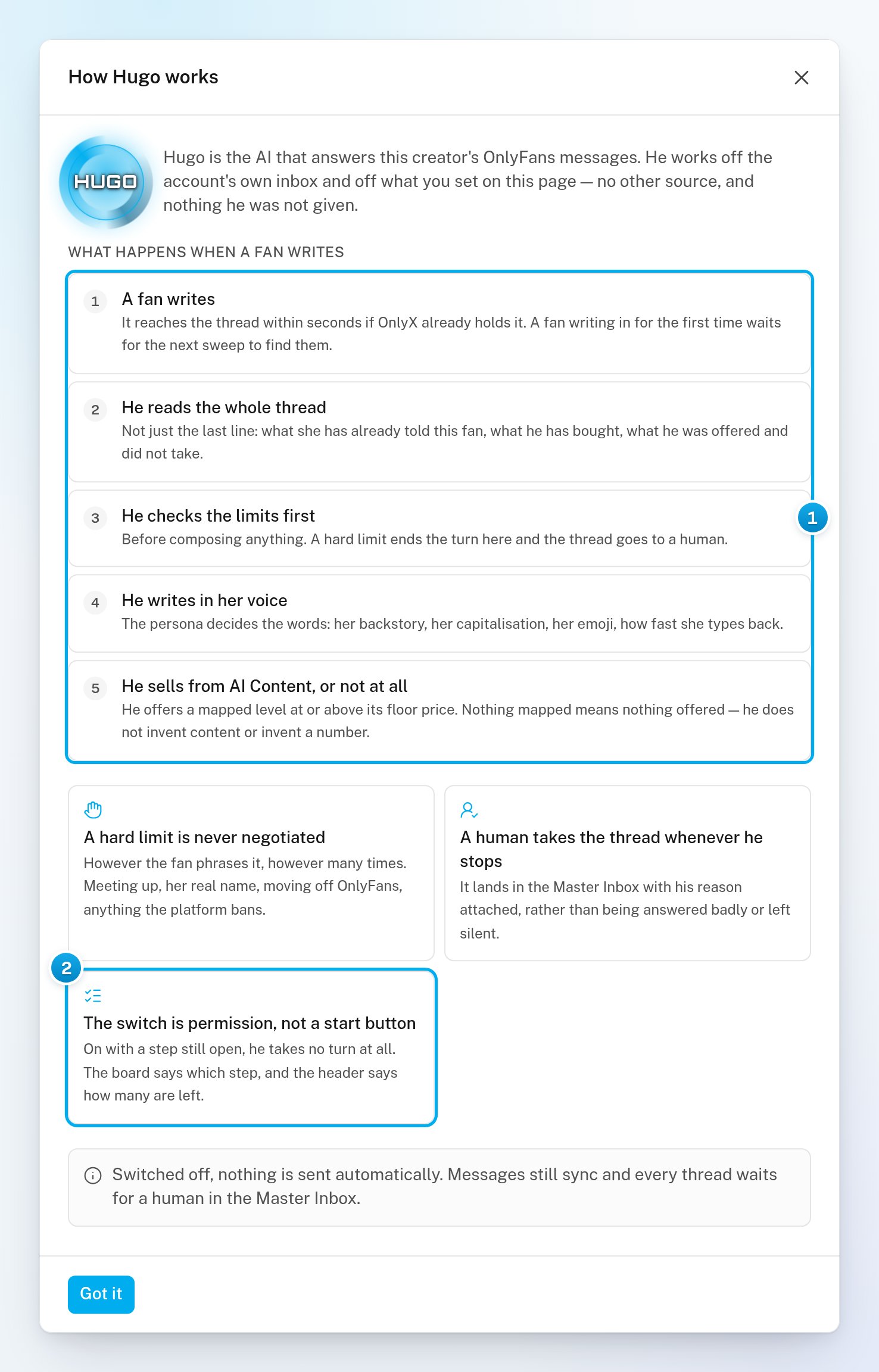
1 What Hugo does with every message · 2 The switch is permission, not a start button
What Hugo sells
- Hugo sells only what you map in AI Content. He may offer a whole level, or part of a level. A part is priced in proportion to the level’s price floor. See How AI Content works: groups, collections and levels.
- If nothing is mapped, Hugo still chats with fans, but he has nothing to offer them.
- Hugo does not price or sell custom content: when a fan asks for one, he keeps the conversation going. Owners and admins may get a Custom content request alert, so your team can answer the fan. If the escalation policy row Any custom while selling is off is on, Hugo may escalate the request to your team instead. See Custom Content: prices, menu and orders.
When Hugo can answer
Hugo answers a fan only when all of these are true:- The Hugo switch on the creator’s Overview is on.
- Her account is connected.
- Her persona has an age and a backstory.
- At least one hard limit is saved.
- At least one fan has synced from her account.
- The conversation belongs to Hugo. It is not Manual, Escalated or Hugo off.
- OnlyX has not paused Hugo, and billing has not stopped him.
- The fan is not one of your own creators. When two of your creators subscribe to each other, Hugo stays out of their conversation.
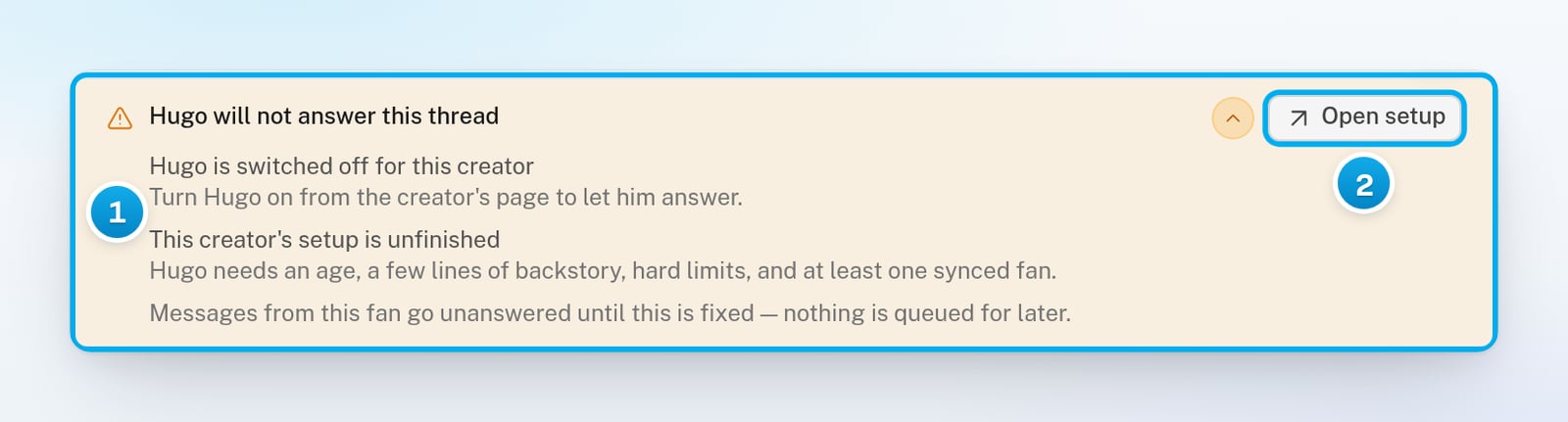
1 Why Hugo will not answer, and what fixes it · 2 The button to the fix
When billing stops Hugo, the reason reads “Billing has stopped Hugo selling”. Hugo then stops answering fans too, not only selling. See Low balance, grace period and “Hugo is paused”.
When a person takes over
A person on your team takes over a conversation in three ways:- Someone replies to the fan or clicks Claim. The conversation shows Manual, and Hugo stays out of it for 12 hours. Replying also cancels the follow-ups Hugo had planned for that fan. See Take over a conversation and give it back.
- Hugo escalates. For the situations ticked in the creator’s escalation policy, Hugo hands the conversation to your team. It shows Escalated in the Master Inbox with his reason, and Hugo stays out until someone resolves it. See Escalation policy: choose what goes to your team.
- Someone turns Hugo off for one fan. The conversation shows Hugo off, and Hugo never answers that fan until someone turns him back on. See Keep Hugo out of one fan’s conversation.
When you reply in a conversation that Hugo owns, you take it over for 12 hours. Hugo does not answer that fan while you have it. To give it back sooner, click Resume Hugo. After 12 hours, it goes back to Hugo by itself if Hugo is on for the creator.