A rule can start at five moments: A fan subscribes, A fan sends a message, A fan buys something, A fan tips and A fan unsubscribes.The If part can check these facts about the fan. Amounts are in dollars, and Total spent is what the fan paid before the OnlyFans fee.
Group
Facts
Money
Total spent, Total tips, Total PPV purchased, Subscription price, Fan quality
Subscription
Subscribed for, Is subscribed, Auto-renew is on, Subscription type
Activity
Last active, Messages from fan
Who they are
Is a creator, Is muted, Segment, Name, List membership
Is muted asks whether someone on your team used Mute fan on the fan’s conversation in the inbox. That mark exists only in OnlyX: it mutes nothing on OnlyFans, but a rule can act on it.The Then part can do seven things:
Turn Hugo off for this fan: that one conversation shows Hugo off, and Hugo stops answering this fan. Other fans are not affected.
Turn Hugo on for this fan: gives the conversation back to Hugo. It does nothing while a person on your team holds the conversation.
Follow the fan back: the creator follows the fan on OnlyFans.
Add the fan to a list: puts the fan on one of the creator’s OnlyFans lists.
Mark the conversation read and Mark the conversation unread: change the unread mark in OnlyX only. The fan gets no read receipt.
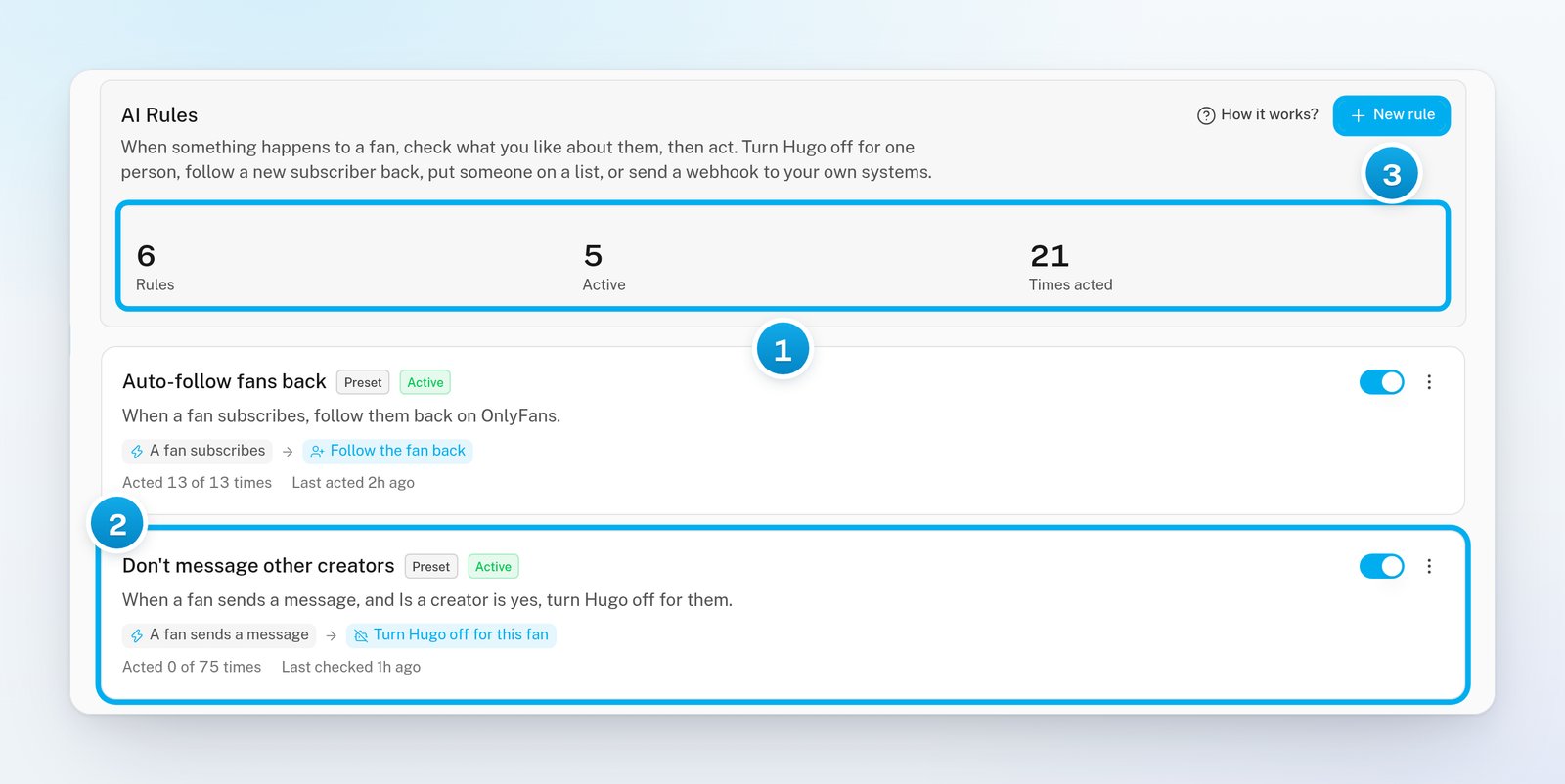
Every creator starts with two rules. They show a Preset mark:
Auto-follow fans back: when a fan subscribes, the creator follows him back on OnlyFans.
Don’t message other creators: when a fan who runs his own OnlyFans page writes, Hugo is turned off for that fan. This way, Hugo does not try to sell to another creator.
Both are ordinary rules. You can rename them, change them, switch them off or delete them. If you delete one, it does not come back.
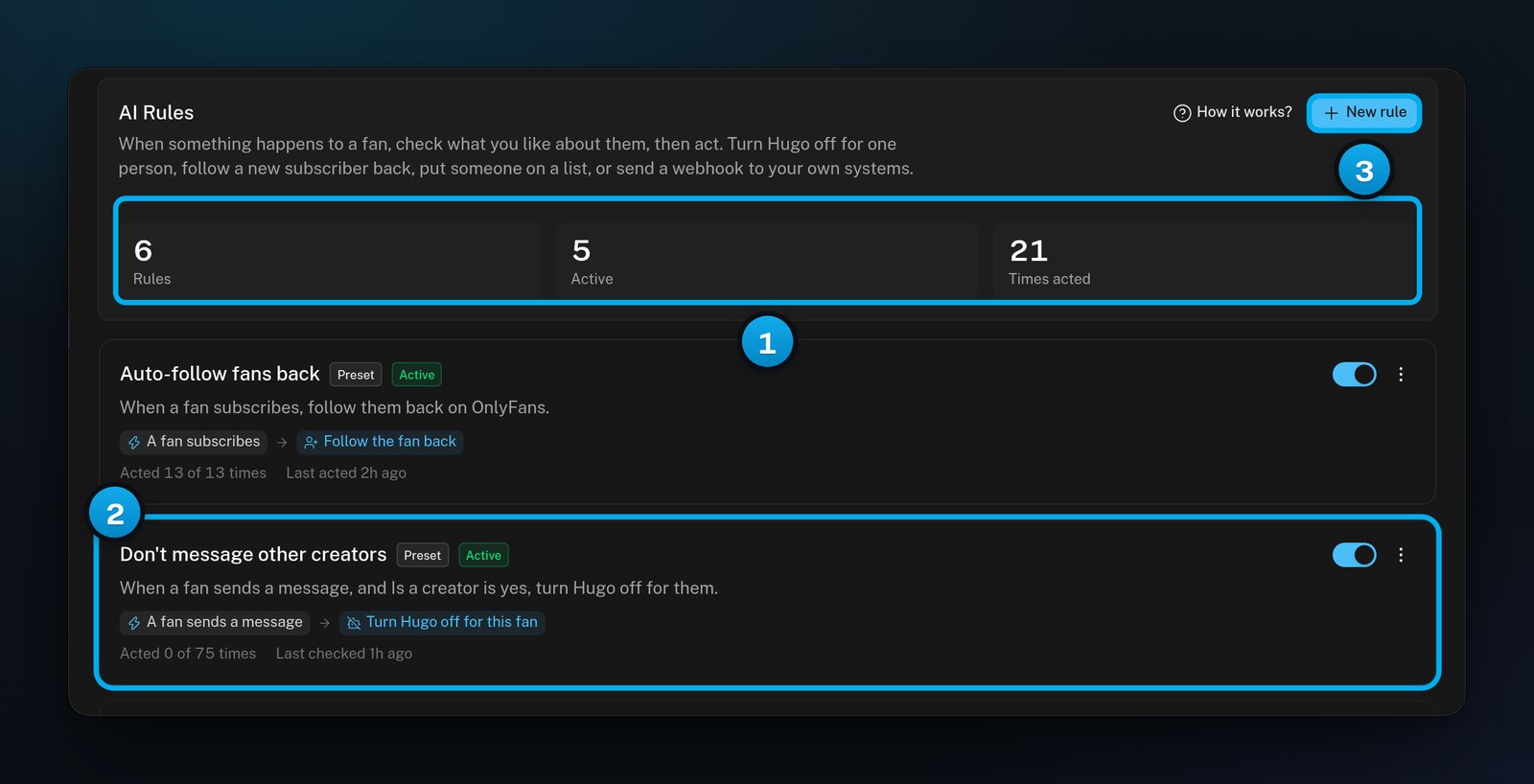
1 Rules, active rules and times acted · 2 A preset rule every creator starts with · 3 New rule
Each rule shows the rule as a sentence and how often it acted, for example “Acted 12 of 30 times”. The first number counts the times a fan matched and the rule acted. The second counts every time the rule checked a fan.
A template fills in the editor for you. Nothing is created until you click Create rule. The templates are:
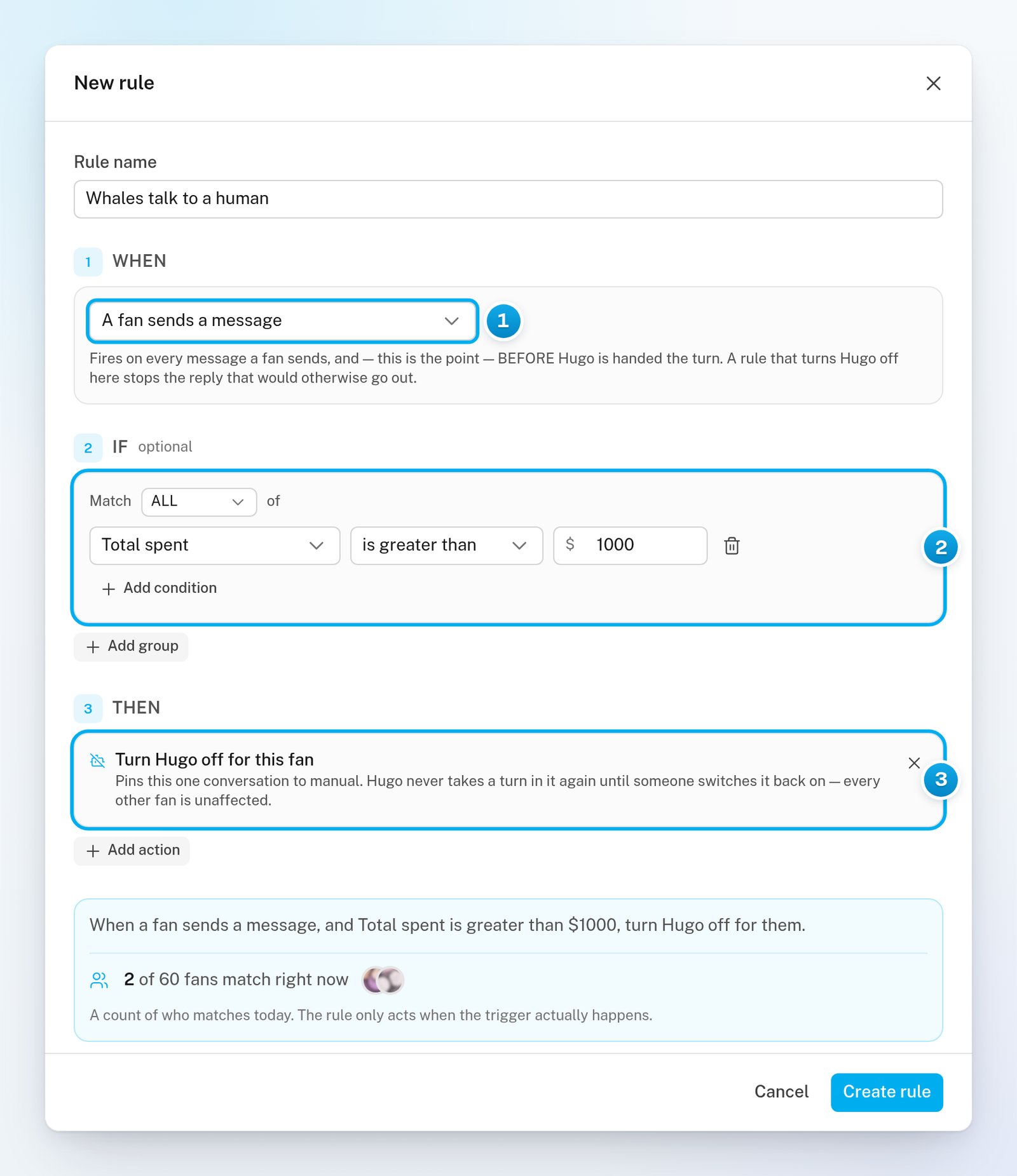
Whales talk to a human: when a fan who spent more than $1000 writes, Hugo is turned off for that fan.
Muted fans go to a human: when a fan you muted writes, Hugo is turned off for that fan.
Flag a big purchase for a human: when a fan who spent more than $500 buys, his conversation is marked unread.
Tell me about big spenders: when a fan who spent more than $200 buys, OnlyX tells your own systems.
Auto-follow fans back and Don’t message other creators: the two starting rules, if you deleted them.
1
Open AI Rules
In OnlyX, click Creators. Then click the creator and click AI Rules.The tab shows her rules and their activity.
2
Pick a template
Under Add another, click a template. If the creator has no rules yet, click one of the template cards instead.The New rule editor opens, filled in from the template.
3
Check the rule
Change the Rule name, When, If or Then parts if you need to. The Tell me about big spenders template needs your URL before you can create it.Under the three parts, the editor shows the rule as a sentence. It also counts how many of her fans match the rule right now.
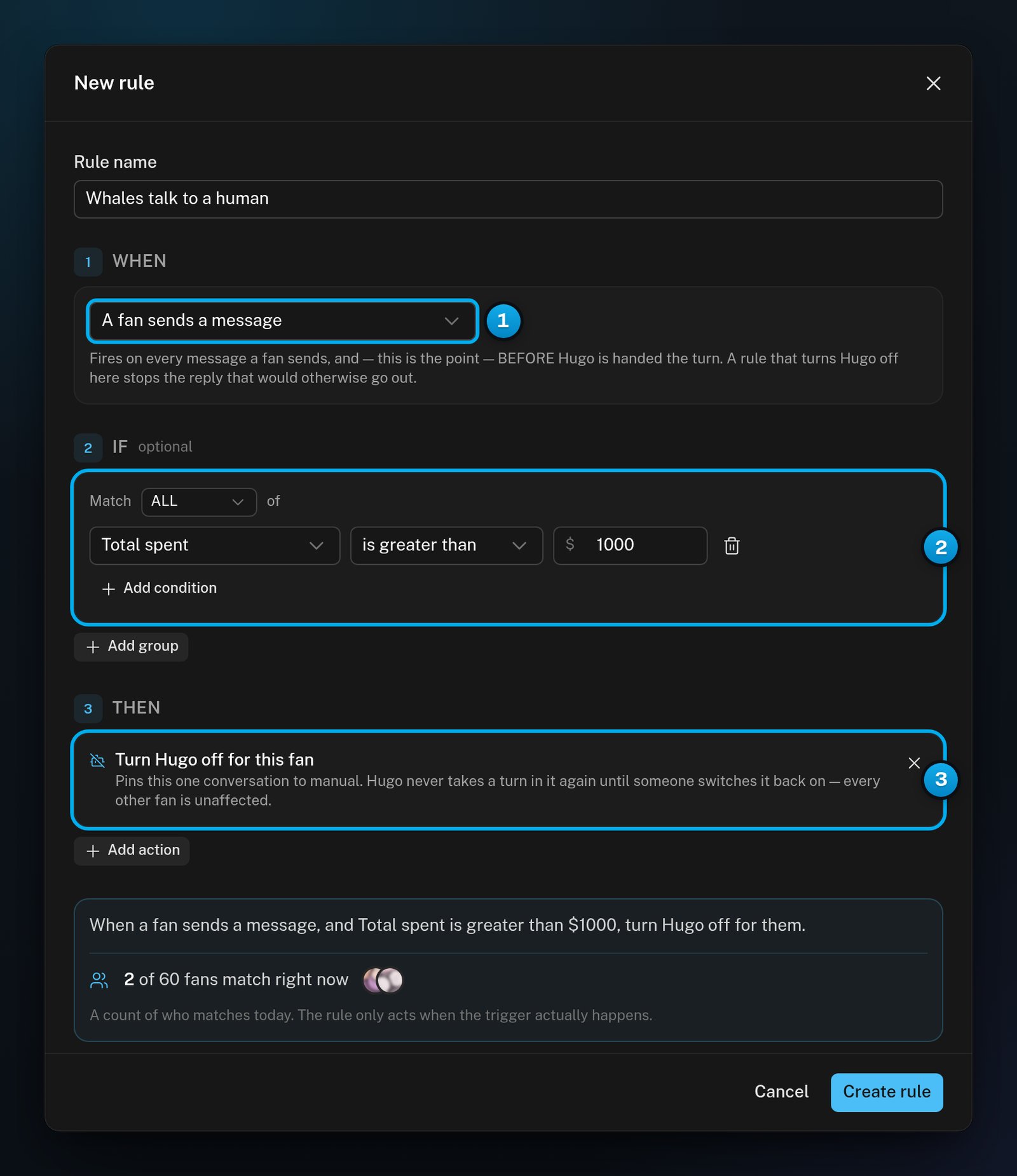
1 When: what starts the rule · 2 If: what must be true about the fan · 3 Then: what OnlyX does
4
Create the rule
Click Create rule.“Rule created” shows, and the rule appears in the list as Active.
A rule is live as soon as you create it. The next time its moment happens, it acts on real fans. A rule with no conditions acts on every fan at that moment. Read the sentence and the count before you click Create rule.
On the AI Rules tab, click New rule.The New rule editor opens.
2
Name the rule
In Rule name, enter a name that says what the rule does.
3
Choose when it starts
Under When, select the moment that starts the rule.A short text under the menu explains the moment you picked.
4
Optional: Add conditions
Under If, click Add a condition. Select a fact, a comparison and a value.To add another condition to the same group, click Add condition. To add a second group, click Add group. In each group, choose ALL or ANY next to Match.
5
Add an action
Under Then, click Add action. Then select an action.For Add the fan to a list, pick the list. For Send a webhook, enter the URL.
6
Create the rule
Read the sentence and the count. Then click Create rule.“Rule created” shows, and the rule appears in the list as Active.
Without conditions, the editor says “No conditions — this runs for every fan on that trigger.” Each action can be in a rule only once.
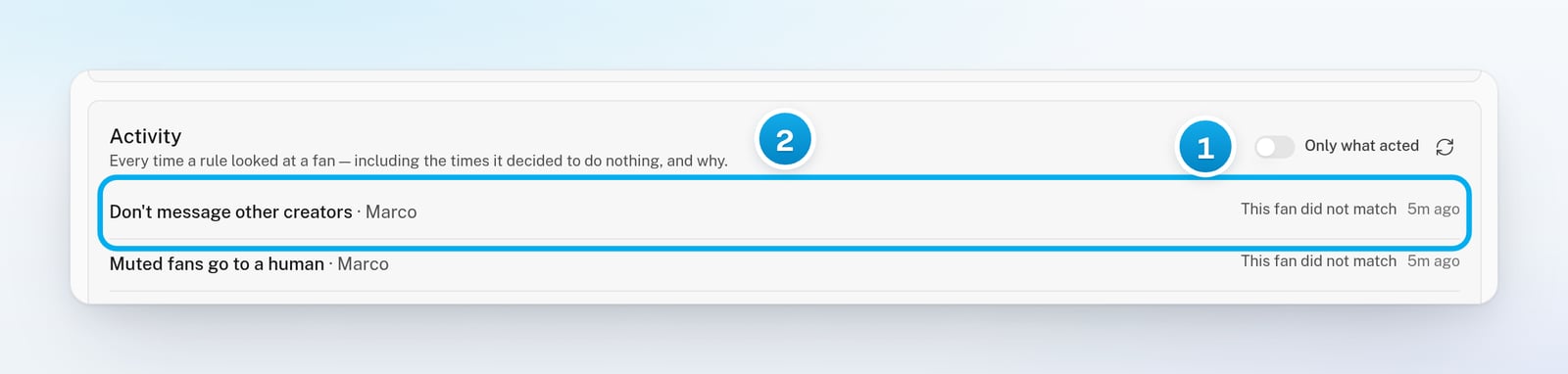
On the AI Rules tab, scroll to Activity.By default, the list shows only the times a rule acted.
2
Show every check
Turn off Only what acted.The list now shows every time a rule looked at a fan. When a rule did nothing, the row says why.
1 Turn this off to see every check · 2 Why a rule did nothing for this fan
3
Refresh the list
To see the newest checks, click the refresh button next to Only what acted.
Each row shows the rule, the fan and a status:
Status
What it means
”Done”
Every action worked.
”Partly done”
At least one action failed. The failed action is in red, with the reason.
”Failed”
Every action failed.
”Nothing to do”
There was nothing to change. For example, Hugo was already off for this fan, or there is no conversation with this fan yet.
”This fan did not match”
The rule works. This fan does not meet its conditions.
”We have not learned that about this fan yet”
The rule asks something OnlyX has not seen yet about this fan, such as whether he is a creator. This is not a “no”. The rule checks again the next time its moment happens. It can match once OnlyX has learned the answer, usually from a later OnlyFans sync.
”Already ran the daily maximum for this fan”
The rule already acted on this fan as many times as it may in 24 hours.
Something is missing. The reason shows next to the button, for example “Add at least one action.” or “Give the rule a name.” Fix it, and the button turns on.
A message appears when I click Create rule
OnlyX refused the rule, and the message says why. For example, OnlyX does not call a private web address. Change what the message names, then click Create rule again.
Activity shows "This fan did not match"
The rule is working, but this fan does not meet its conditions. Open the rule with Edit and check the If part. The count in the editor shows how many fans match right now.
Activity shows "We have not learned that about this fan yet"
The condition asks about something OnlyX has not seen yet for this fan. For example, OnlyX may not know yet whether he runs his own page. This is not a “no”.The rule checks again the next time its moment happens. It can match once OnlyX has learned the answer, usually from a later OnlyFans sync.
A rule did nothing for fans who were already subscribed
Rules run only when their trigger happens after the rule exists. Fans who subscribed earlier, or who came in when you connected the creator, do not start a rule.
I don't see New rule or the switches
Only owners and admins can create and change rules. Chatters and content VAs can only read the tab. Ask an owner or admin.