

Before you start
- You need an owner or admin account, because the card is on the Dashboard.
- The card sits next to Today on a wide screen, and under it on a narrow one.
What the card lists
The card lists four kinds of work, in this order:
The chip at the end of a row says what to do, for example Reconnect, Confirm or Deliver. The chip is not a separate button: the whole row is the link.
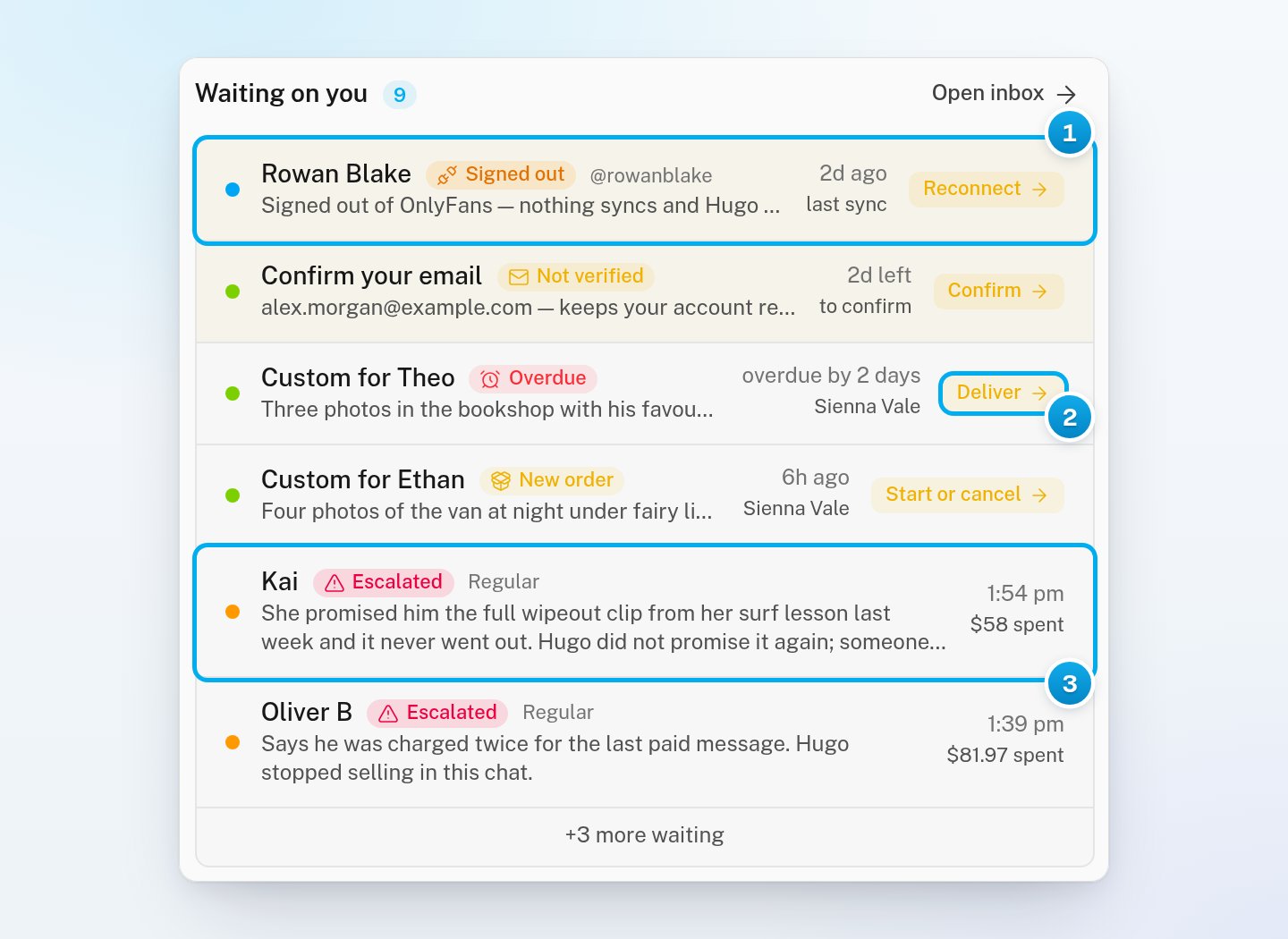
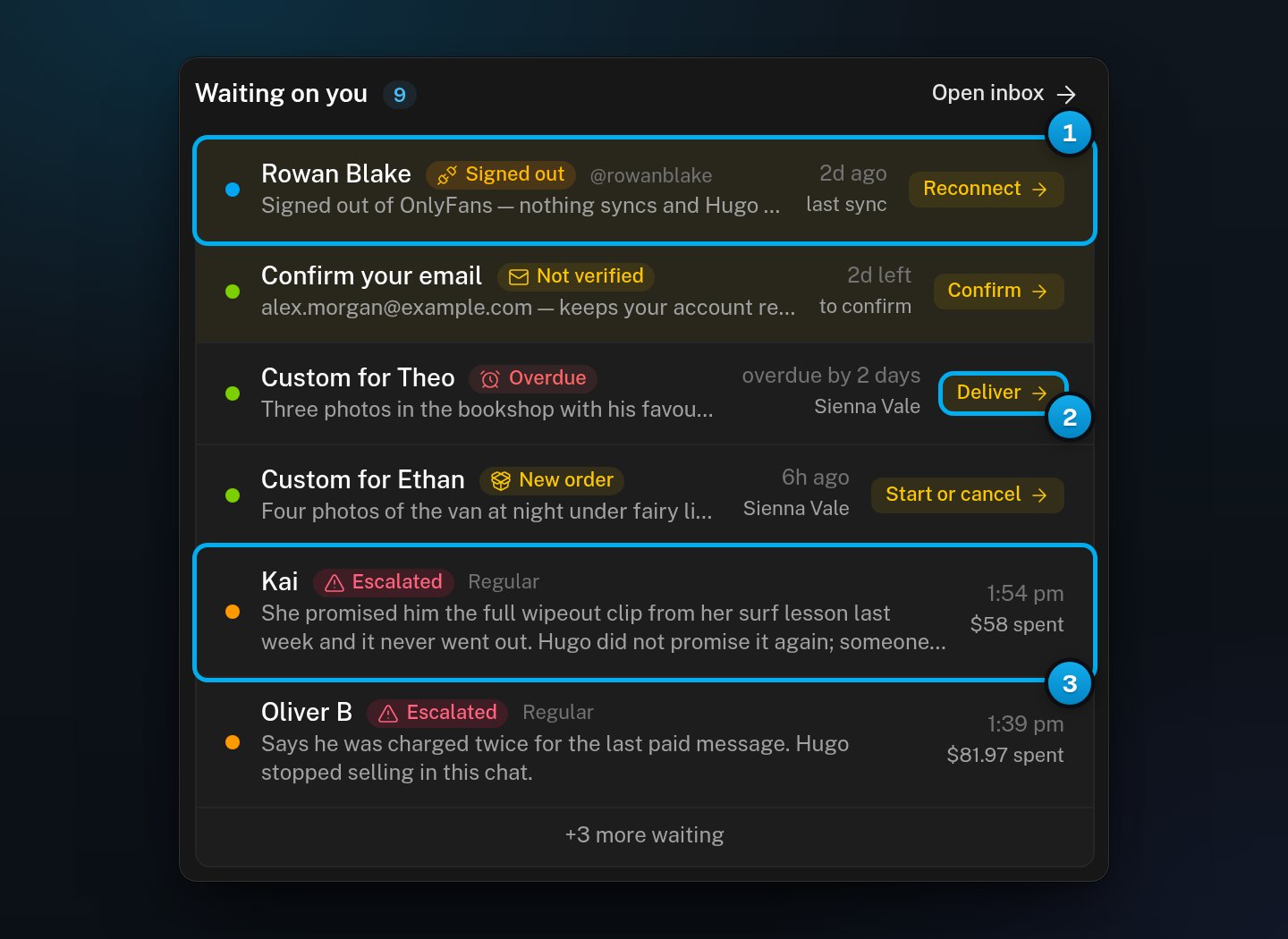
1 A creator account that needs you · 2 What to do about a custom order · 3 Hugo's reason for an escalation
Creator accounts
A creator appears here when her account is not Connected. The row shows her name, a status chip, one sentence about the problem, and when OnlyX last synced her account. If OnlyX never synced it, the row says “never”.
For a fan account or a duplicate, the row opens the creator’s page. Signing in again does not fix these two. To fix a signed-out creator, see Reconnect a signed-out creator.
Confirm your email
This row is about your own address, so each owner and admin sees their own. It shows your address and the days you have left, for example “2d left”. You have 7 days from the first confirmation email that reached you. Before that email arrives, the row says “no deadline yet”. If the 7 days run out, the row goes away. OnlyX then asks you to confirm your email before you can do anything else. See Confirm your email.Paid custom orders
A custom order appears here in two cases:- New order, with the action Start or cancel: a fan paid, and nobody has started the order.
- Overdue, with the action Deliver: the order is past its delivery date. The row says how late it is, for example “overdue by 2 days”.
Escalated conversations
An escalated conversation shows the fan’s name and the Escalated chip. Under it is Hugo’s reason for the escalation, on up to two lines. If there is no reason to show, the row shows the fan’s last message instead. The row also shows the time of the last message and what the fan spent. It shows his fan group, such as Whale, and his unread messages. To answer the fan and give the conversation back to Hugo, see Handle an escalation.Work through the list
1
Open the Dashboard
In OnlyX, click Dashboard.Waiting on you is next to Today, or under it on a narrow screen.
2
Check the count
Look at the number next to the title. It counts everything that is waiting, including rows the card does not show.
3
Open a row
Click anywhere on the row.The page where you fix it opens: the sign-in window, Security, the Custom Content tab or the conversation.
4
Fix the task
Do the task on that page. When it is done, the row goes away from the card, usually within a minute.
5
Optional: See the rest
If the card ends with a line such as “+3 more waiting”, click it. It opens the Inbox if an escalated conversation is hidden. If a creator account is hidden instead, it opens the Creators page.
Unread conversations are not on this card
The card lists only work that needs a person. A new message from a fan is not on it, even when nobody has read it. Hugo answers most of them. To see unread conversations, click Open inbox. When nothing is waiting, the card says “Nothing needs a human here — no escalations, nothing owed, every account connected. Unread threads live in the inbox.”The Inbox has its own Waiting on you section, on the screen you see when no conversation is open. That one is a different list: it shows creators with unread conversations.
When an escalated row goes away
An escalated conversation leaves the card when it stops being escalated:- Someone resolves the escalation with Resolve & resume Hugo. Hugo gets the conversation back.
- Someone replies to the fan or clicks Claim. The conversation becomes Manual, even though nobody resolved the escalation.
- Someone turns Hugo off for the conversation, or an AI rule does. The conversation becomes Hugo off.
If something goes wrong
The card says "Nothing needs a human here", but fans are waiting
The card says "Nothing needs a human here", but fans are waiting
Unread conversations are never on this card. Click Open inbox and filter the list by Unread.
An escalated conversation disappeared from the card
An escalated conversation disappeared from the card
Someone on your team resolved it, took it over, or turned Hugo off for it. Open the conversation in the Inbox.Manual means a teammate replied or clicked Claim. Hugo off means Hugo was turned off for this fan. Otherwise the escalation was resolved, and Hugo has the fan back.
The number next to the title is bigger than the rows I see
The number next to the title is bigger than the rows I see
The card shows 6 rows at most, and the number counts everything. Click the “more waiting” line at the end of the list to see the rest.
I don't see Confirm your email
I don't see Confirm your email
The row shows only while your own address is not confirmed. If you confirmed it, there is nothing to do. The row also goes away when the 7 days run out. Then OnlyX asks you to confirm your email on every page.
A Telegram creator's row does not open a sign-in window
A Telegram creator's row does not open a sign-in window
That is expected. A Telegram creator connects on her own creator page, so the row opens that page.