

Before you start
- You need an owner or admin account.
- To open the report, click Analytics. Then click Fans in the list of reports. You can also click Details on the Dashboard’s Audience card.
The period you pick changes only New fans seen. The other parts of the report describe your fans as they are now, or use their own fixed windows.
Which part uses which window
The creator picker, All creators, works on every part of the report.
Are fans staying engaged?
The report opens with two figures:- Active fans · last 30 days: fans who sent at least one message in the last 30 days, today included. Your own messages and a fan being online do not count.
- Came back to chat: of the fans who wrote to a creator 8 to 14 days ago, the share who wrote again. It counts the last 7 full days. The line under it gives the numbers, for example “46 of 49 fans returned”. It shows a dash when nobody wrote in the earlier week.
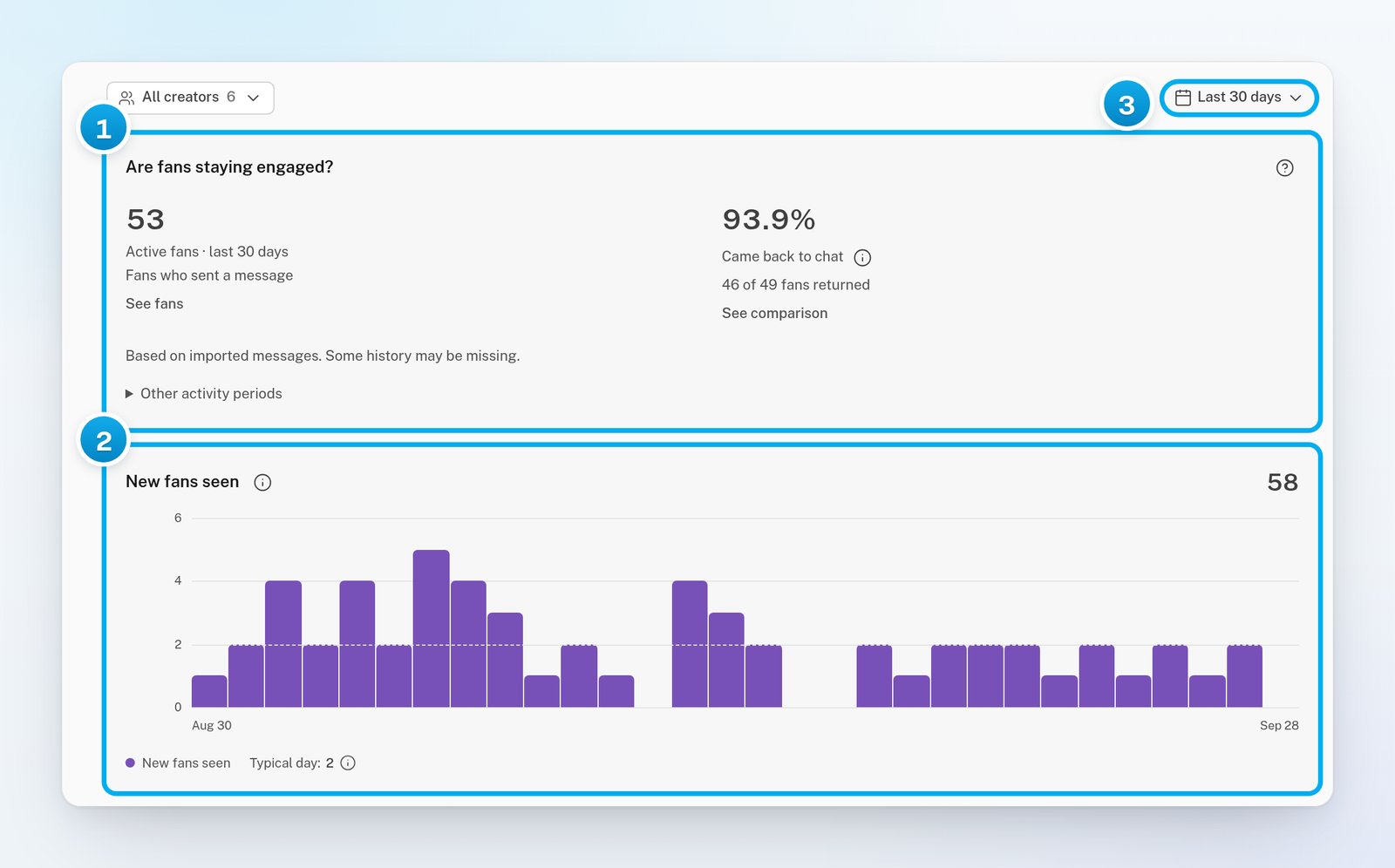
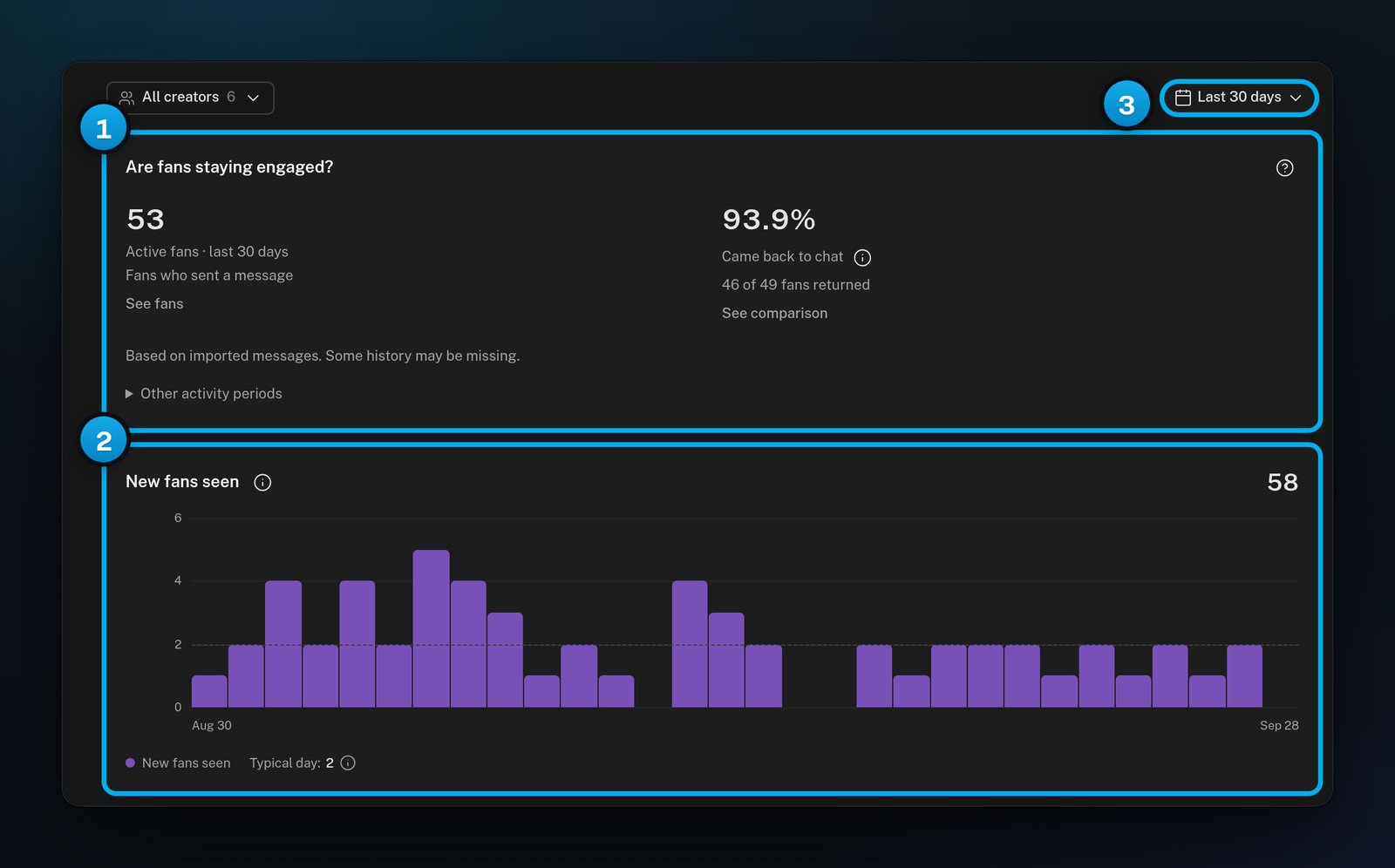
1 Who chats, and who came back · 2 New fans in your period · 3 The period, for new fans only
New fans seen
New fans seen is the number of fans whose earliest known subscription or message falls in your period. The chart shows one bar per day, with a Typical day line.- The earliest known date is not proof of a first visit. OnlyX may not have a fan’s older history, so he may know the creator from before.
- Importing a creator’s existing fans does not make them new fans.
- Fans with no known start date are left out. A line then says, for example, “12 fans have no known start date and are excluded.”
Fan base now
Fan base now has three bars:
The bars overlap: a fan can be in all three. A fan who follows two of your creators counts once for each creator.
A fan counts as subscribed only when OnlyFans gave a subscription date or an end date. Otherwise his subscription is unknown, and a line says how many, for example “8 subscriptions are unknown.”
A fan’s known spend is the larger of two amounts: what OnlyFans reports he spent, and the total OnlyX recorded. Both are what the fan paid.
Free and paid plans
Free and paid plans splits your fans into Free, Paid and Unknown, from the last plan OnlyFans reported for each fan. A paid plan does not prove that a payment went through. Click a bar in Fan base now or Free and paid plans to list those fans.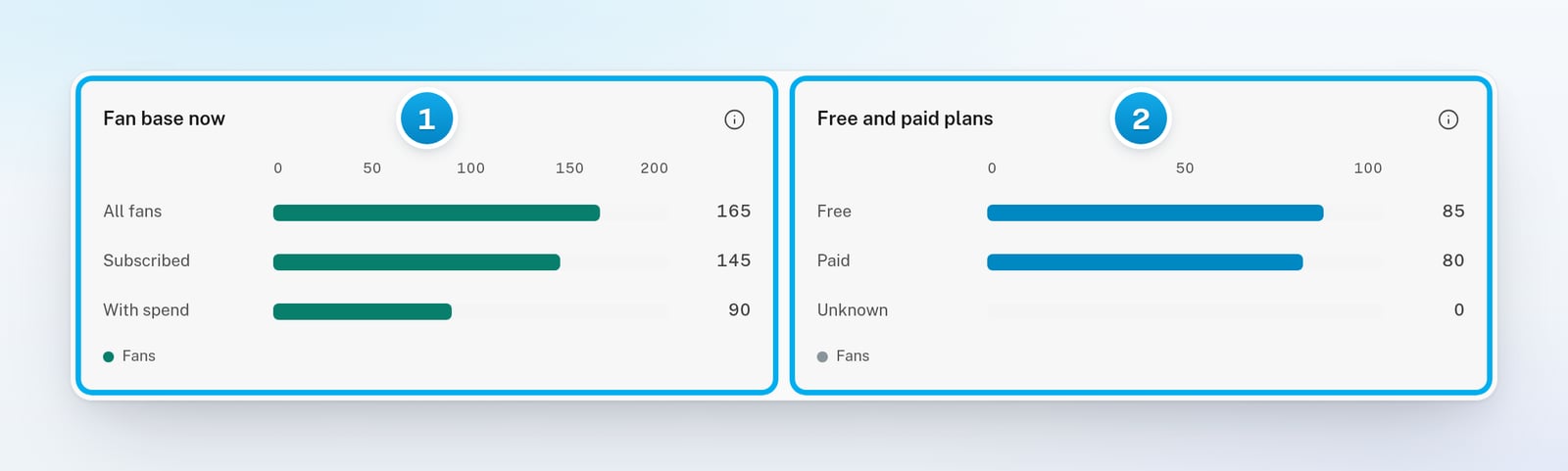
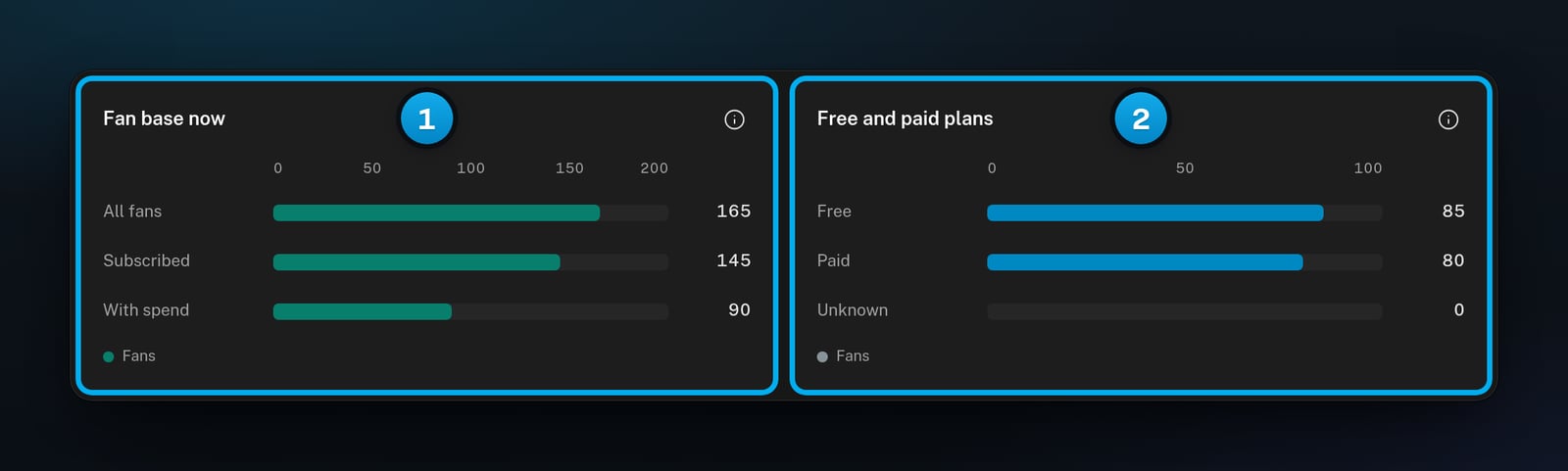
1 Your fan base now · 2 Free and paid subscription plans
By creator
The By creator table shows Fans, Subscribed and Fans with spend for each creator. The creator with the most known spend comes first.- Click See fans on a row to list that creator’s fans.
- Click the columns button (Choose columns) to add Known spend, Average known spend, Free plan, Paid plan, Subscription unknown or Creator ID.
- Click Export to download the whole table as a CSV file.
More about your fans
Click More about your fans to open two more charts:- Fan languages: the language of each fan, estimated from up to 40 of his recent messages. When the messages do not make it clear, the fan stays “Unknown”. A line gives the totals, for example “120 known · 27 unknown · 147 fans”.
- Fan spending groups: how many fans are in each fan group, from No purchase yet and Time waster to Casual, Buyer, Regular and Whale. A fan’s group can lag behind his newest purchases.
Top-spender snapshot
Click Top-spender snapshot to load it. It is a separate copy of OnlyFans’ own list of top spenders: up to 200 for each creator. It does not describe your whole fan base, and it does not follow your period.
Under these, Reported spend by fan group splits the spend into bands from 200+. Typical spender is the median spend of the fans in the snapshot who spent something.
The Quiet spenders table lists those fans. The fans with the most spend and the most days since their last purchase come first. Click Details and export to see all of them and download the list.
More snapshot details holds two more figures. The Provider spending score is OnlyFans’ own score, from 0 to 5. Spending concentration is the share of spend that comes from the top 5% of spenders in the snapshot.
When a creator’s list reached the limit of 200, a line says “Sample limit reached” and names her.
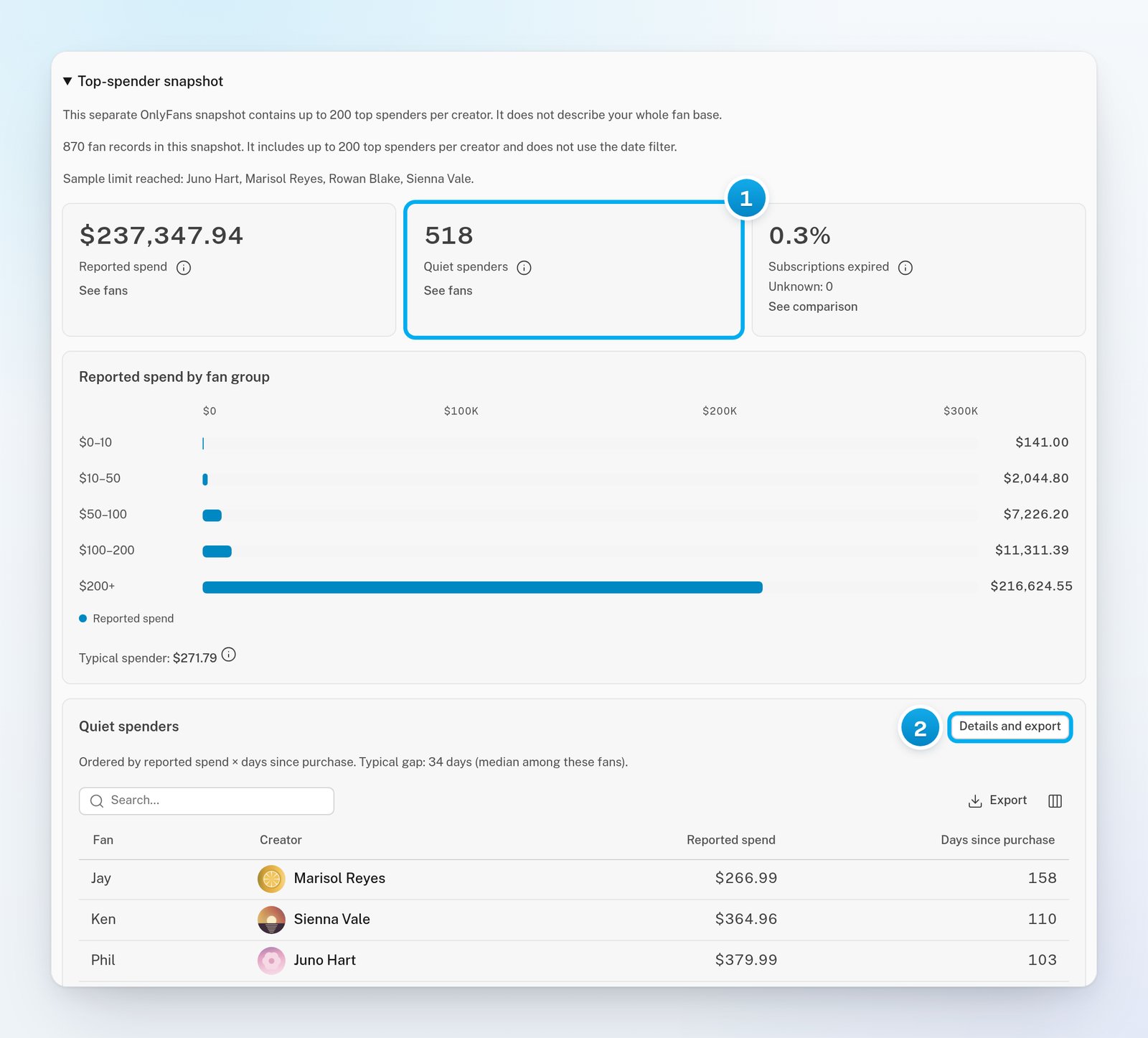
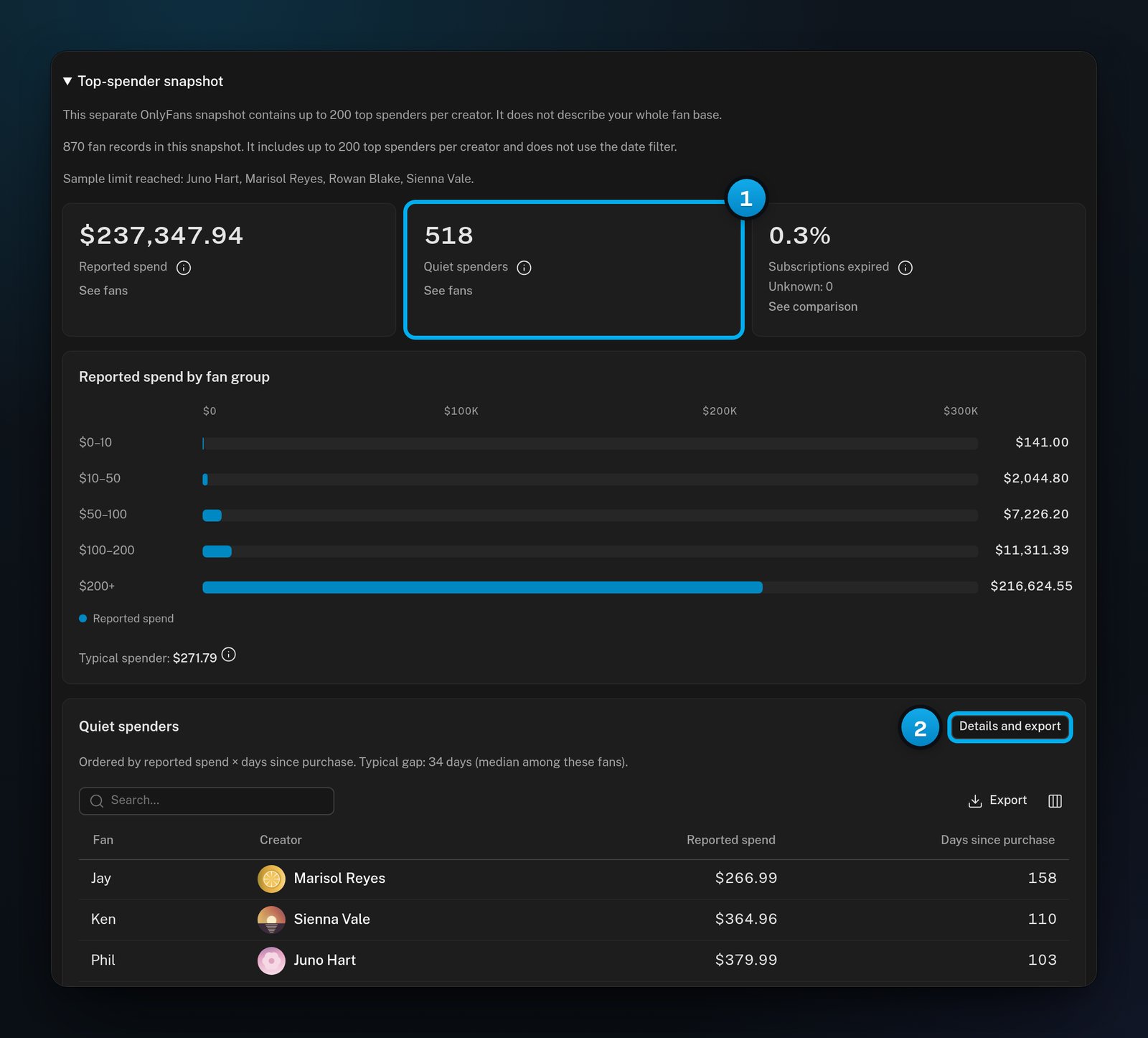
1 Fans who spent and went quiet · 2 See them and download the list
Telegram creators in this report
The Fans report reads the fans that OnlyX stores, so Telegram creators’ fans are included. The Top-spender snapshot is the one exception: it comes from OnlyFans, so it covers OnlyFans creators only. Conversations between two of your own creators never count as fan activity.If something goes wrong
The numbers do not change when I pick another period
The numbers do not change when I pick another period
Only New fans seen follows the period. Everything else describes your fans now, or uses its own fixed window.
Came back to chat shows a dash
Came back to chat shows a dash
Nobody wrote to your creators in the earlier of the two weeks, so there is nothing to compare. Check again when fans have written for two full weeks.
New fans seen looks too low
New fans seen looks too low
Fans with no known start date are left out, and the line under the chart says how many. Importing a creator’s existing fans does not count as new fans either.
The report says "Some fan data could not be loaded"
The report says "Some fan data could not be loaded"
Part of the report did not load. Missing figures are not zero. Click Try again.
The snapshot says "Sample limit reached"
The snapshot says "Sample limit reached"
OnlyFans sends at most 200 top spenders for each creator, and that creator reached the limit. Her figures in the snapshot cover those 200 fans only.