Everyone OnlyX is where your agency runs the fan conversations of all your creators. Hugo, the AI chatter, answers the fans for you.

What OnlyX does

Owners, admins and chatters can open a conversation and answer the fan themselves at any time. Chatters see only the creators assigned to them, and content VAs do not see the inbox.
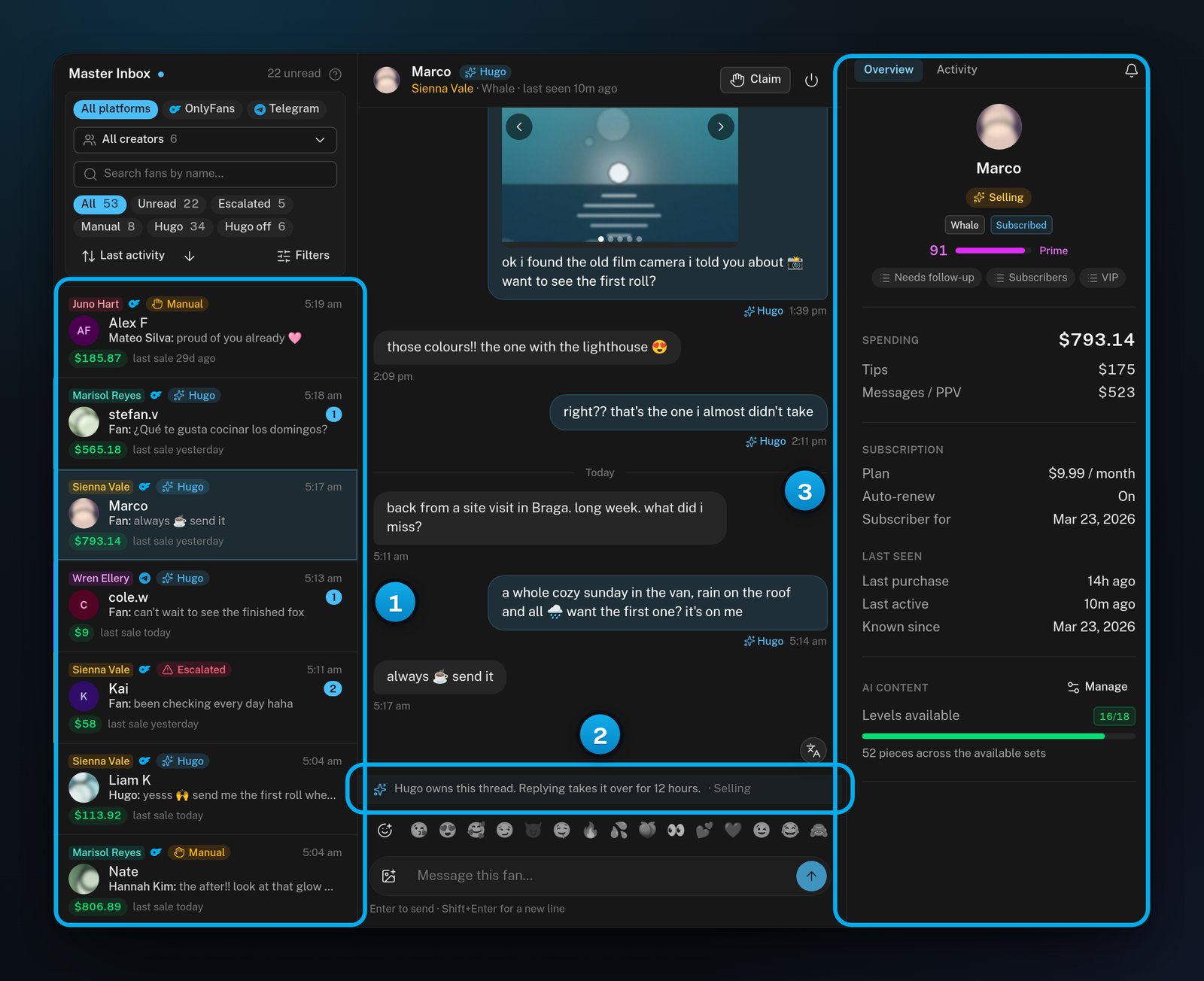
The Master Inbox with the conversation list, an open conversation that Hugo holds, and the fan panel with the fan's spend and subscriptionThe Master Inbox with the conversation list, an open conversation that Hugo holds, and the fan panel with the fan's spend and subscription

1 The conversations of all your creators · 2 Who answers this fan now · 3 What you know about the fan

Who answers each fan

Every conversation shows who holds it: The app sums up the rule as “A human takes the thread whenever he stops”. When Hugo should not handle something alone, the conversation waits in the Master Inbox with his reason. To learn more, see Conversation states: Hugo, Manual, Escalated and Hugo off.

What Hugo needs before he answers

Each creator has her own Hugo switch. The app says it plainly: “The switch is permission, not a start button”. Hugo answers a creator’s fans only when all of these are true:
  • Her account is connected.
  • Her persona has an age and a backstory.
  • Her hard limits are saved.
  • At least one fan has synced from her account.
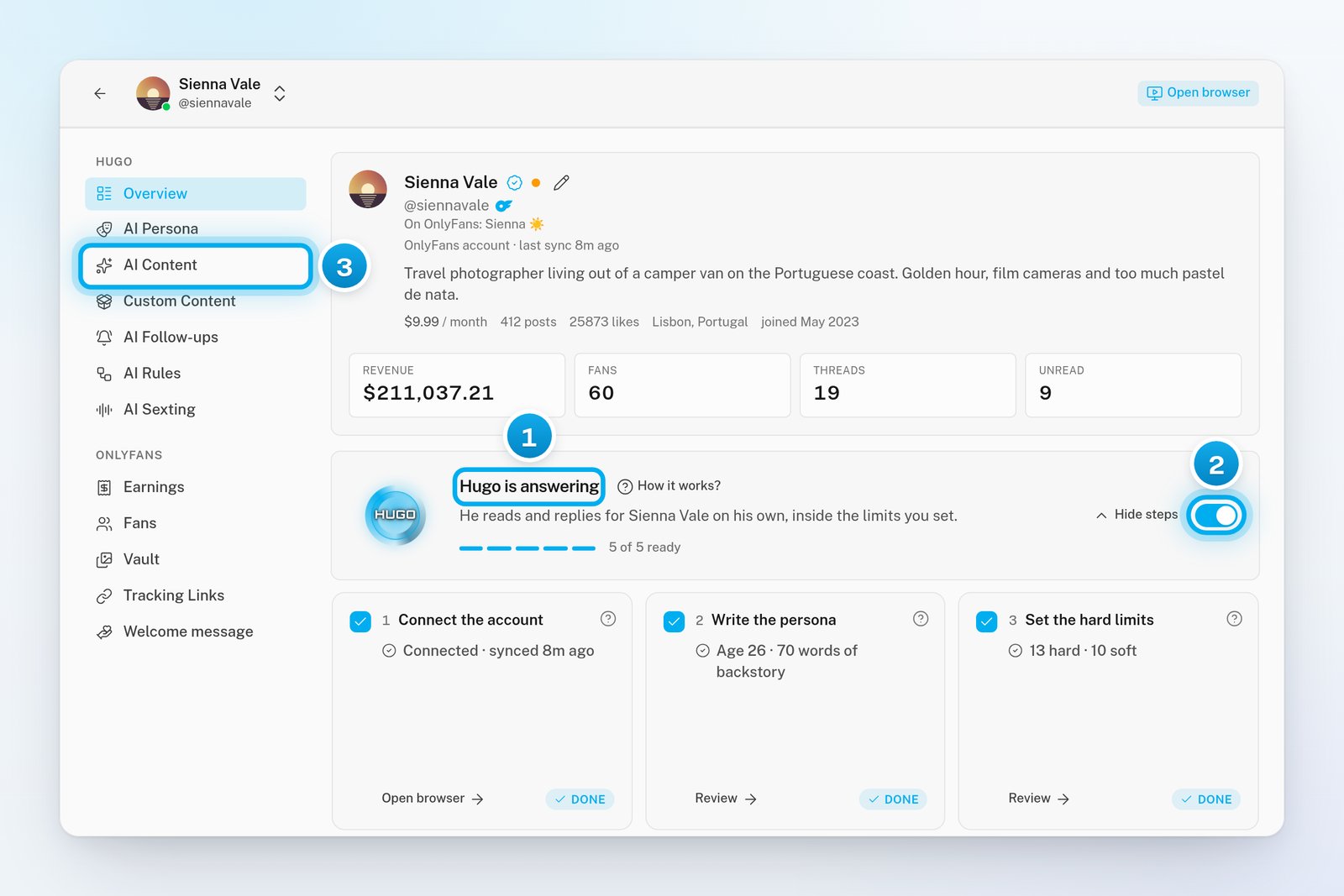
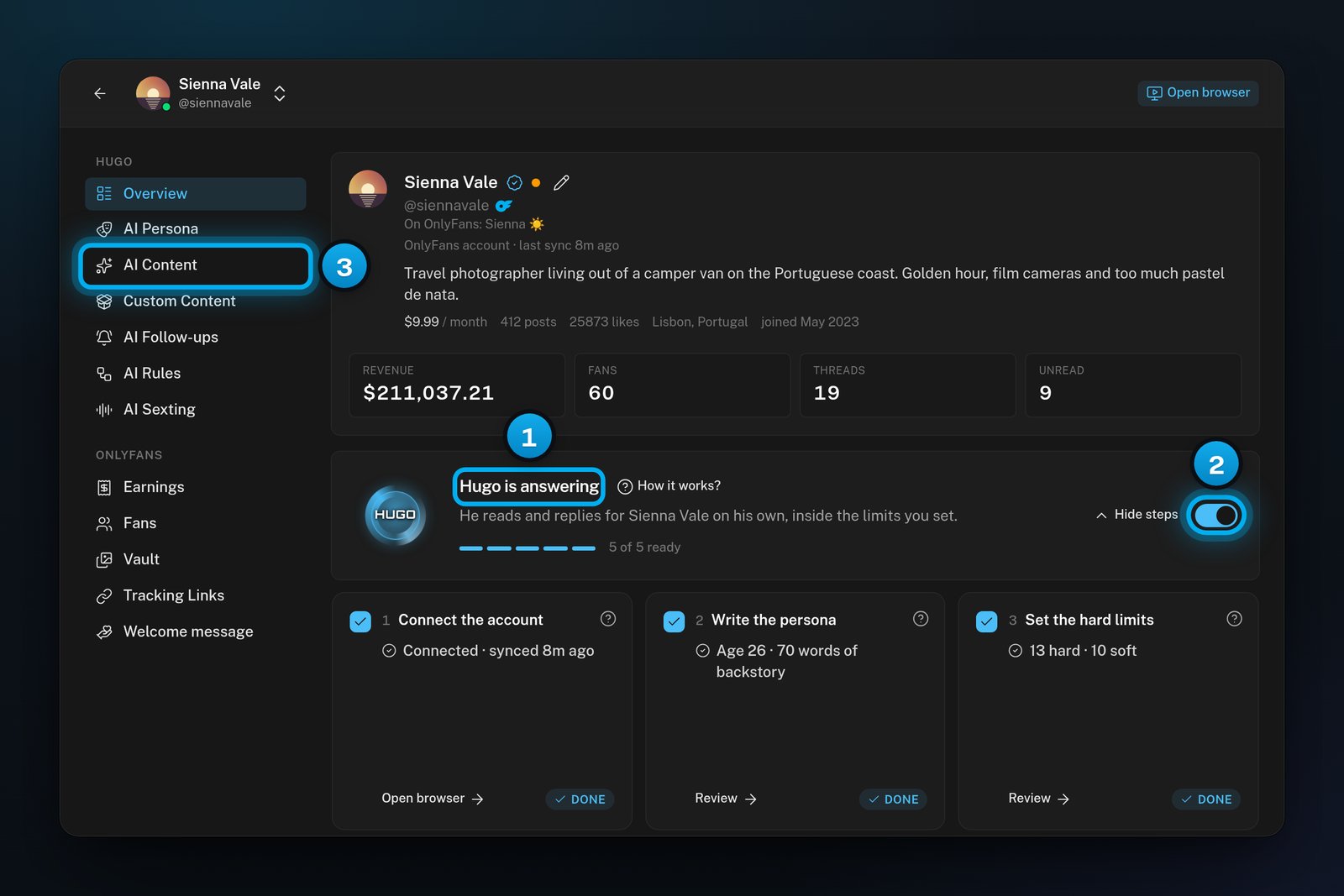
Hugo sells only the content that you map in AI Content. Without it, he still answers her fans, but he has nothing to sell. A checklist on the creator’s Overview tab shows which steps are done. When every step is done, its heading reads “Hugo is answering”. When the switch is off, the heading reads “Hugo is off”: nothing is sent, and every conversation waits for your team.
A creator's Overview tab with the heading Hugo is answering, the Hugo switch turned on, and the AI Content tab in the tab listA creator's Overview tab with the heading Hugo is answering, the Hugo switch turned on, and the AI Content tab in the tab list

1 Where the creator stands · 2 Her Hugo switch · 3 The tab where you map what Hugo may sell

What you pay

The inbox, your team and Hugo’s chatting cost nothing. In the app’s words, “Hugo works the inbox for free.” You pay only when Hugo sells. When a fan unlocks a that Hugo sent, OnlyX takes 10% of the net:
  • The net is what is left after OnlyFans takes its 20%. So 10% of the net is about 8% of what the fan paid.
  • For example, a fan unlocks a 50PPVfromHugo.OnlyFanstakes50 PPV from Hugo. OnlyFans takes 10, and 40isleft.Youpay1040 is left. You pay 10% of 40, which is $4.
  • For a Telegram creator, the payment fee on the sale takes the place of OnlyFans’ 20%.
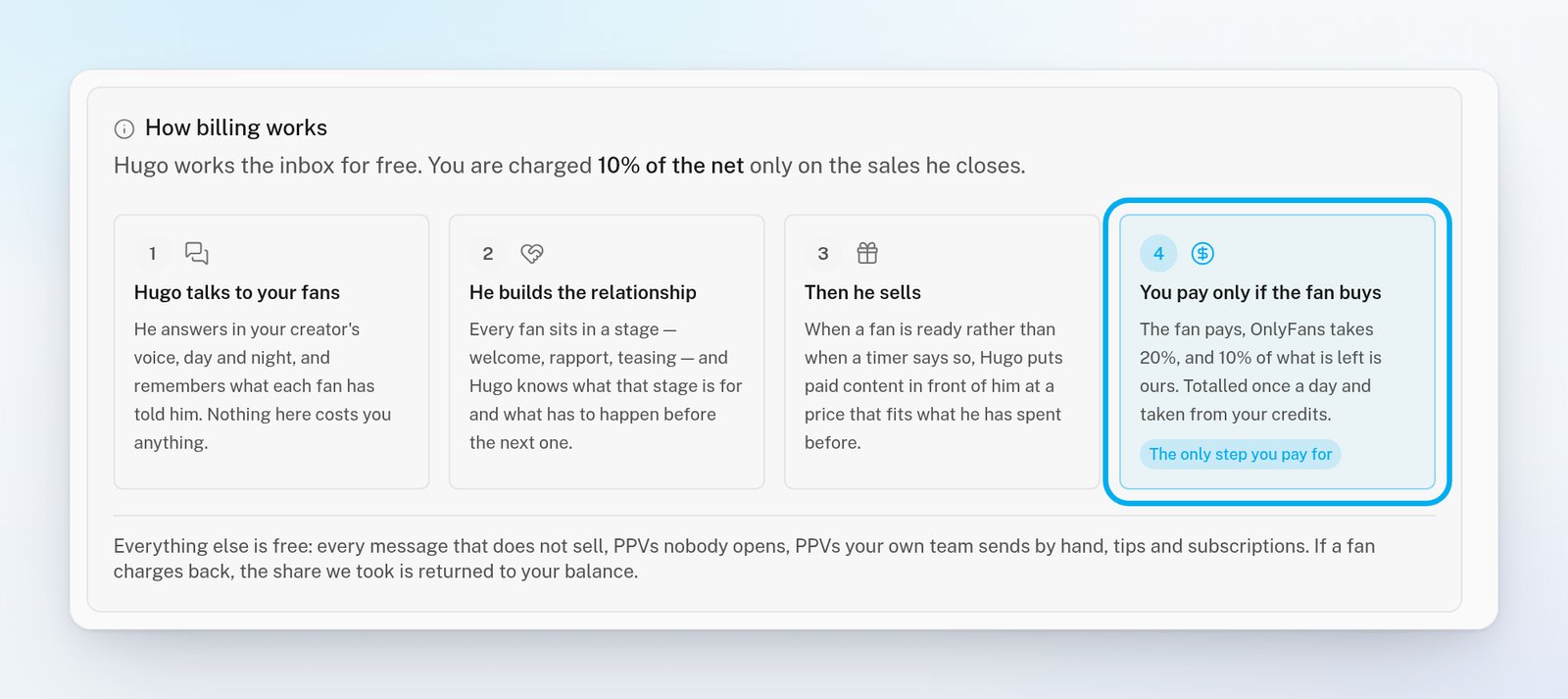
Everything else is free. The app lists it: “every message that does not sell, PPVs nobody opens, PPVs your own team sends by hand, tips and subscriptions”. If a fan charges back a sale that Hugo made, email support@onlyx.ai. OnlyX then returns its share to your balance. OnlyX takes the charges from prepaid credits, once a day, shortly after midnight UTC. Every new workspace starts with $10 of credits. You add more credits with USDT or USDC, from the Billing page. Only owners and admins can open Billing. If your credits run out, Hugo keeps working through a grace period of up to 7 days. He pauses when the 7 days end, or sooner if you owe $500 or more. Then he stops answering and selling for all your creators until you add enough credits. Within the 7 days, that means enough to owe less than $500. Once the 7 days have ended, it means enough to pay everything you owe. Your team can still work in the inbox while Hugo is paused. See Add credits so Hugo can sell.
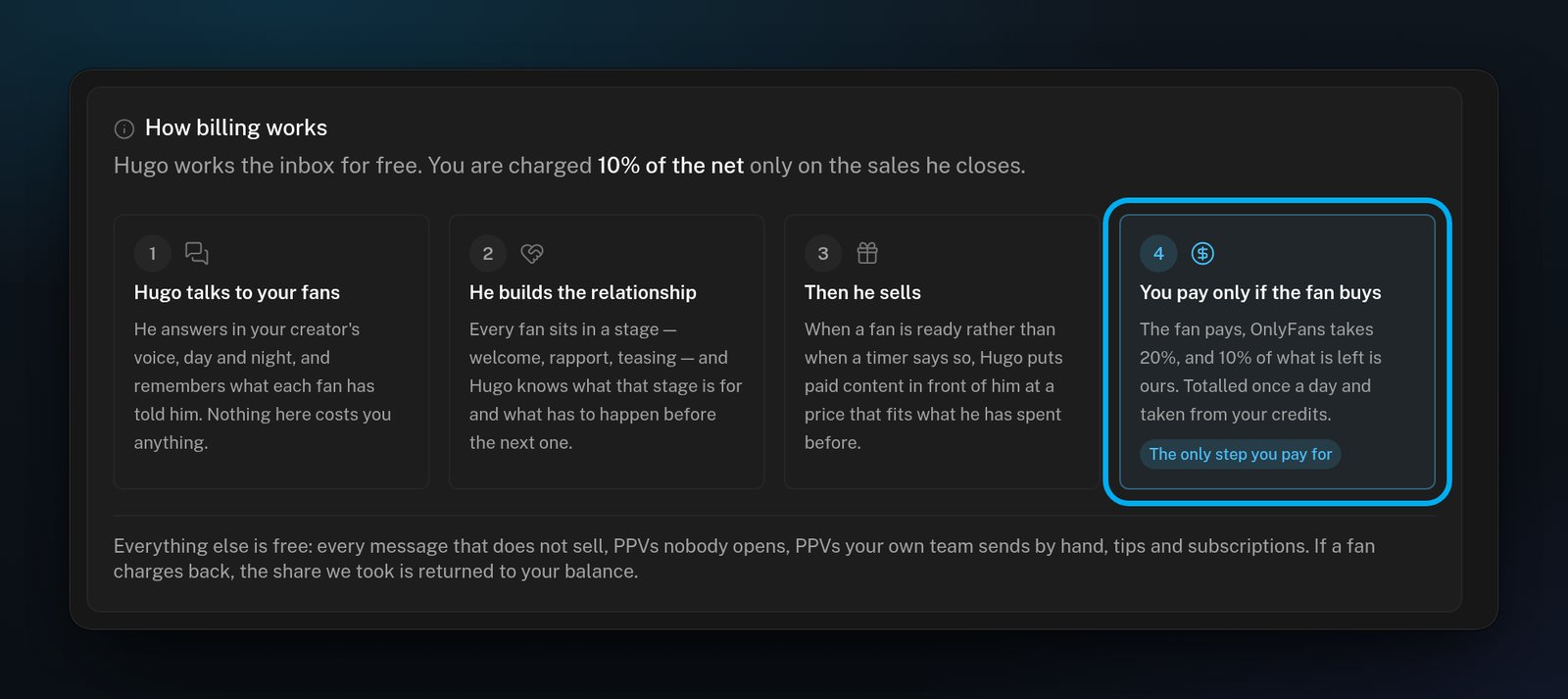
The How billing works card on the Billing page, with four steps and only the last one, You pay only if the fan buys, marked as chargedThe How billing works card on the Billing page, with four steps and only the last one, You pay only if the fan buys, marked as charged

Only the last step, when a fan buys, costs you anything.

Who can do what

Each team member has one role in your workspace: To learn more, see What each team role can see and do.

Get started

Owners set up a new workspace in this order:
  1. Create your agency account, then Confirm your email.
  2. Add your first creator and connect her account.
  3. Finish her setup with Quick start: from sign-up to Hugo answering.
  4. Add credits so Hugo can sell.
  5. Invite your team.
New to the screens? See Find your way around OnlyX.

What’s next

Quick start: from sign-up to Hugo answering

How Hugo works

How billing works