

Before you start
- You need an owner, admin or content VA account to fix a level. A content VA works only on the creators assigned to them. Chatters can see the badges, but they cannot change anything.
Hugo replies but does not sell
Check these in order:- On her Overview, check Map the content. If it says “Nothing sellable yet”, check the setup step.
- In AI Content, check the collection and its levels. Resume anything you want to use that is Paused. Fix Nothing behind the price and Nothing to send. No teaser alone does not stop a sale.
- If the level has no warning, check why Hugo does not offer it. The fan may already have bought it, or it may be resting for him. Price limits and Story order can also affect what Hugo offers.
- If Hugo has also stopped replying, see Why isn’t Hugo replying?.
What each badge means
A paid level with a teaser and paid files, or a free level with files, shows no badge at all. Otherwise, the row shows one badge: the most serious problem. When you fix it, check the row again.
Each collection in the list also has a coloured dot. It shows the most serious problem among its levels:
Paused levels do not change the dot. A collection with only paused levels can still show a green dot.
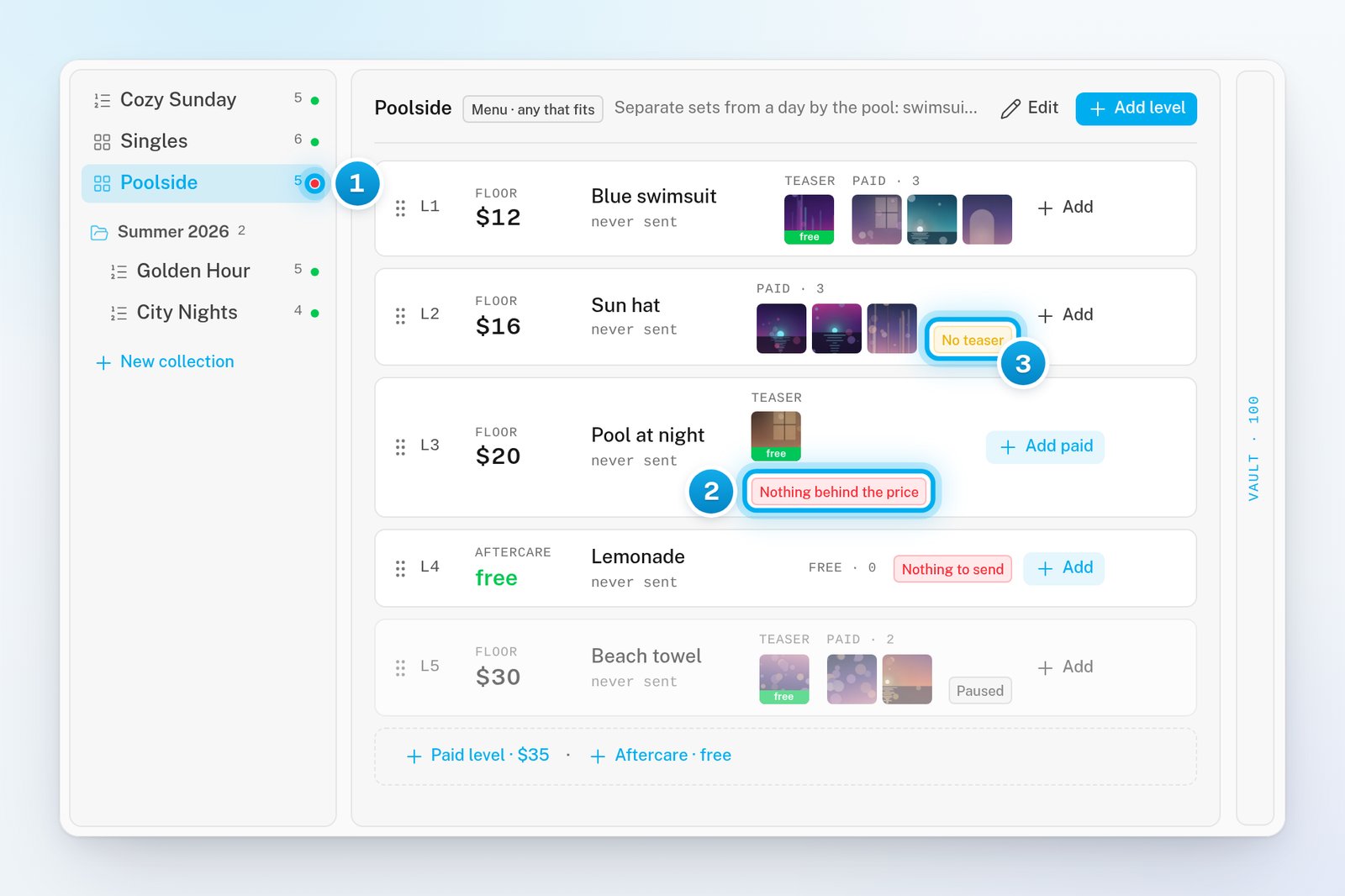
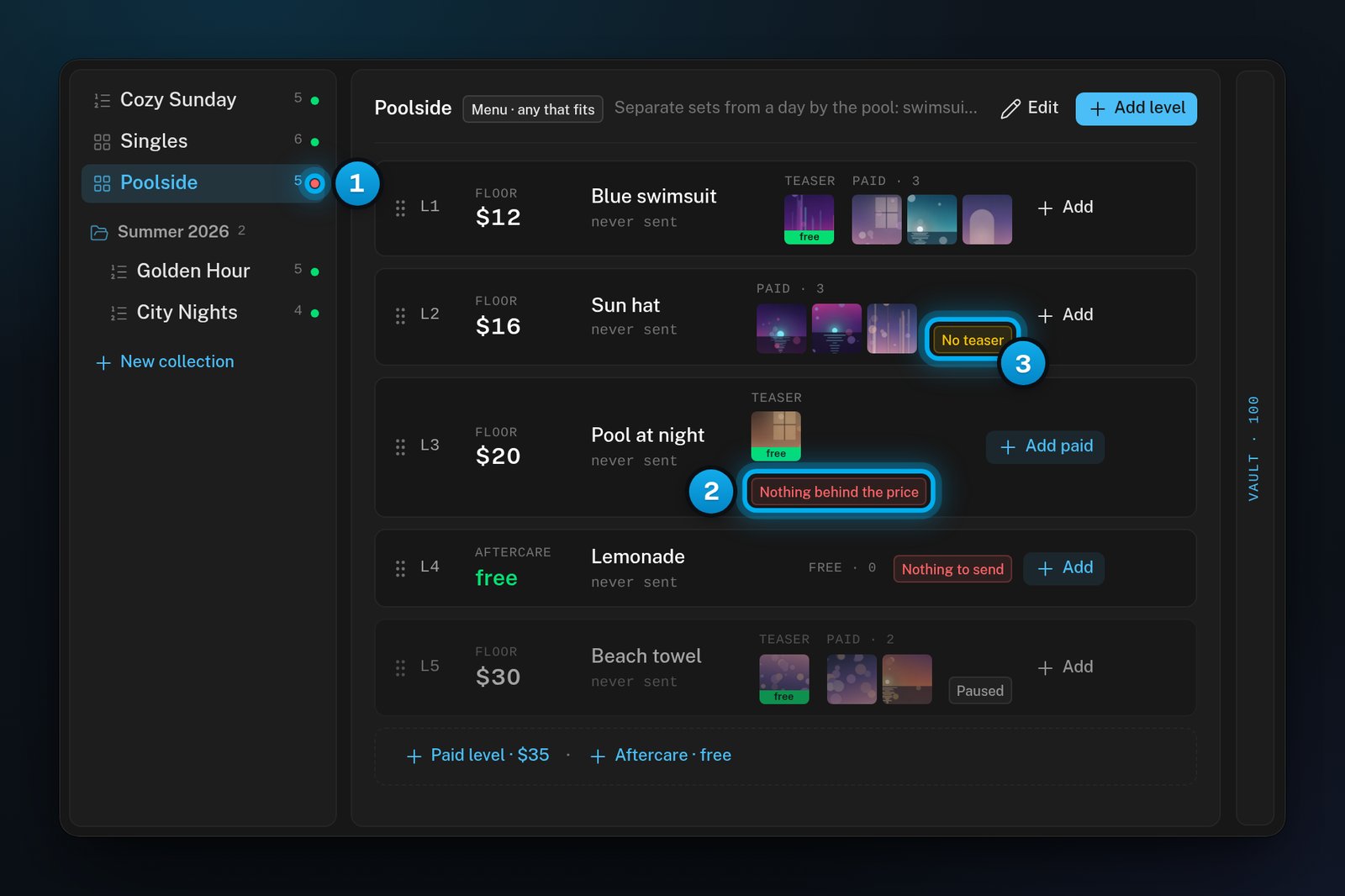
1 A red dot: a level in this collection cannot be sold · 2 Nothing behind the price · 3 No teaser
Find the levels that need work
1
Open AI Content
In OnlyX, click Creators. Then click the creator’s card. In her menu, under Hugo, click AI Content.
2
Find a red or yellow dot
In the collection list, look for a red or yellow dot. Click that collection. Its levels open on the ladder.
3
Read the badges
Read the badge on each row. Then fix each one as this page explains.
Fix each badge
No teaser
On the level’s row, click Add. Next to Slot, click Teaser · free. Pick one file. Then click Add 1 to Teaser. You can also use a file that is already on the level. Open the level editor, click a paid piece and select Make it the teaser.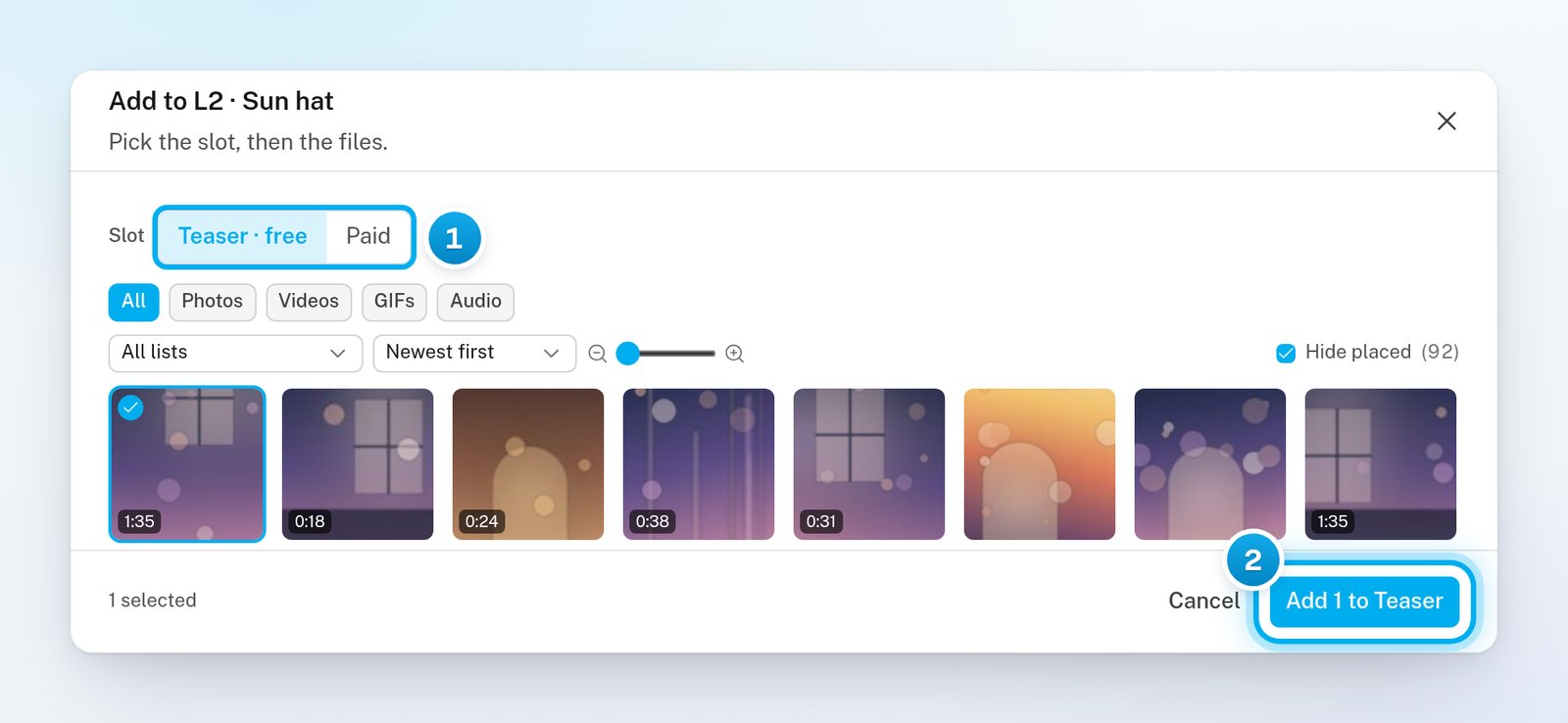
1 The Teaser slot, picked · 2 The button that adds the teaser
Nothing behind the price
On the level’s row, click Add paid. Pick the paid files. Then click the add button, such as Add 4 to Paid. This badge often shows after one of these:- the level has only a teaser;
- its paid files moved to another level;
- you made a copy of a level, which copies no files.
Nothing to send
On the free level’s row, click Add. Pick the files, then add them. If you do not need the level, delete it instead: click the three dots (⋯) on its row and select Delete level.Paused
To resume one level, click the three dots (⋯) on its row. Then select Resume level. A Paused badge at the top of the ladder means the whole collection is paused. In the collection list, point to the collection and click its three dots (⋯). Then select Resume collection.Not for PPV
The app has no switch for this badge. It is set from outside the app, through a connection made in Settings > API & MCP. That connection can keep a level out of paid messages. Ask whoever in your workspace uses it to allow the level in paid messages again. If nobody in your workspace did this, email support@onlyx.ai with the creator’s name and the level’s name.”Map the content” on the Overview
The creator’s Overview shows her setup checklist:- Connect the account
- Write the persona
- Set the hard limits
- Let the fans sync
- Map the content
- Set custom pricing (optional)
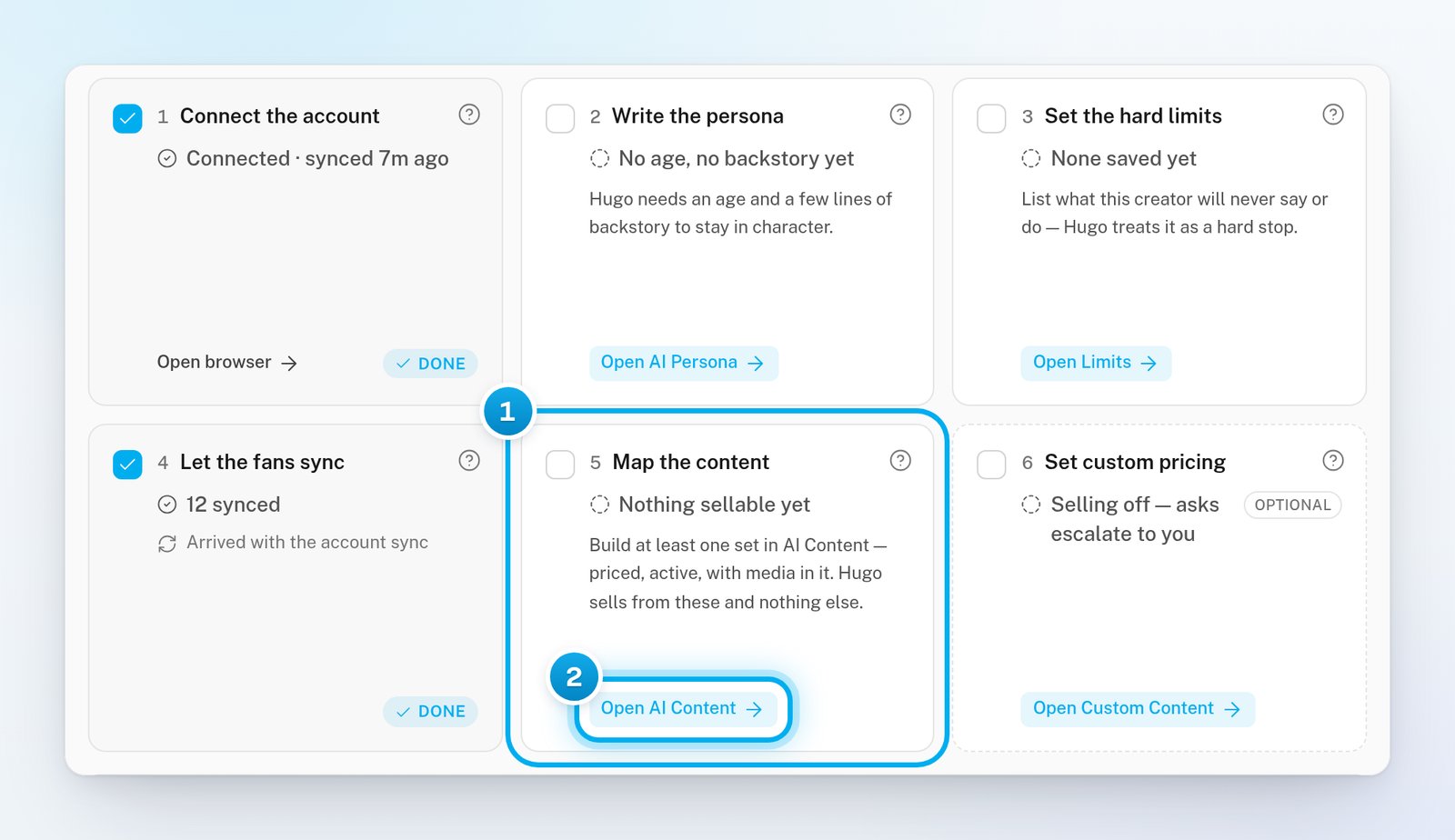
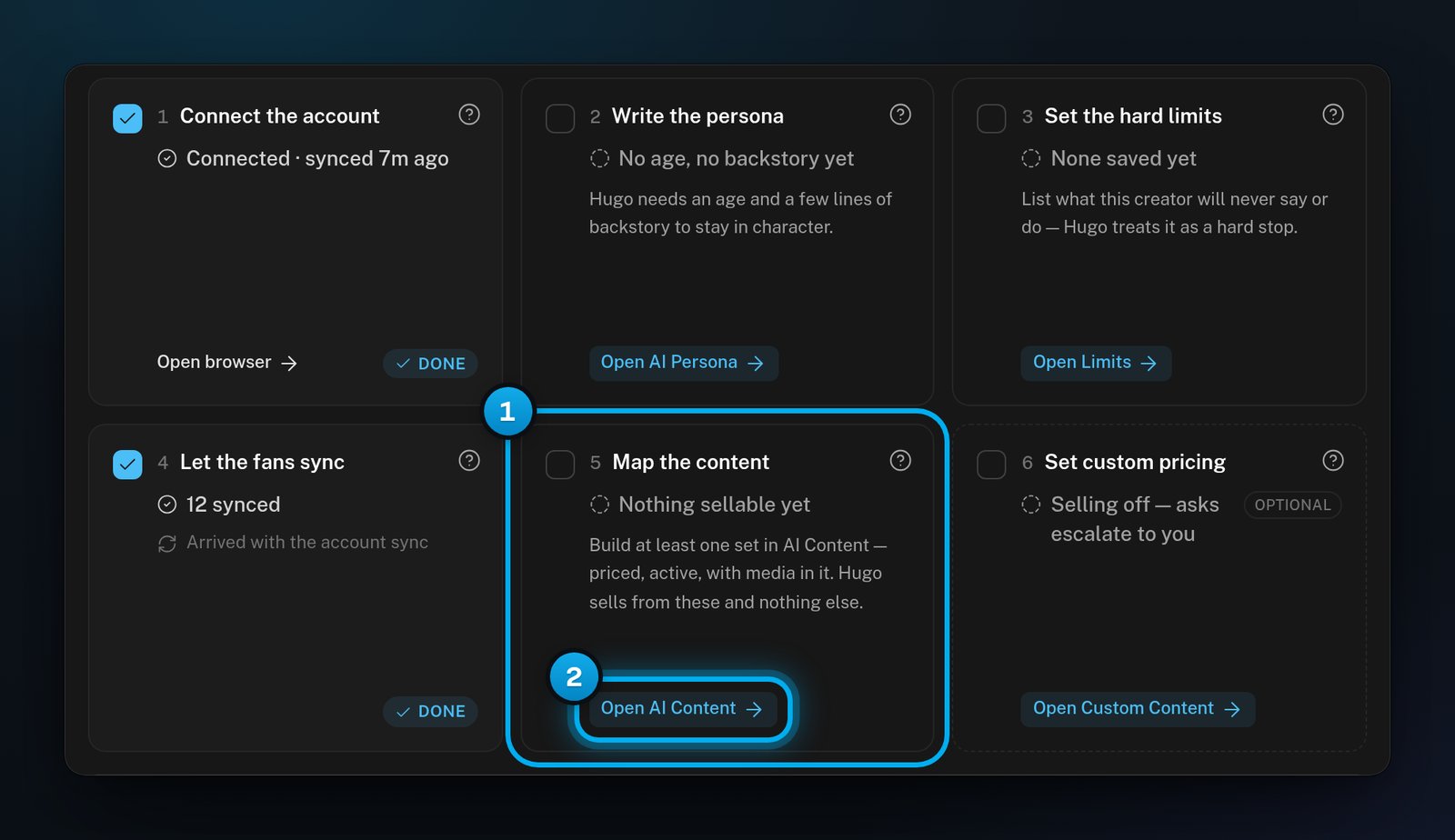
1 The Map the content step · 2 Open AI Content
One active, priced level with a file on it ticks this step and marks it Done. That file can even be a teaser. The step does not check your other levels, so trust the badges on the board.
If something goes wrong
A level has no badge, but Hugo never offers it
A level has no badge, but Hugo never offers it
Check these causes in order:
- The floor may be higher than the most OnlyFans lets this account ask for a paid message. Hugo then never offers the level, not even part of it. The board does not warn you. Lower the floor.
- The fan may already have the level. Hugo never offers a fan a level he bought, even from a person on your team.
- The level may be resting. After a fan passes on an offer, it rests for a while for that fan. If its files could not be attached, it rests for 30 minutes. This can happen when a file was deleted from the vault.
- In a Story, a fan gets the next level he has not bought. A later level usually waits until he buys the one before it. See Story or Menu: choose how Hugo walks a collection.
"Sets ready to send", but the board shows red rows
"Sets ready to send", but the board shows red rows
The setup step needs only one active, priced level with a file on it. Fix the red rows on the board anyway: Hugo cannot sell them.
Hugo offers nothing, and he does not reply either
Hugo offers nothing, and he does not reply either
This is not about AI Content, because Hugo answers fans even with an empty board. If your workspace’s billing is paused, Hugo stops replying to every fan, not only selling. See Low balance, grace period and “Hugo is paused”.
The fan panel says "Every AI Content level has been sent to this fan."
The fan panel says "Every AI Content level has been sent to this fan."
At least one paid piece of every level has already gone to this fan. It may have come from Hugo or from your team, and he may not have bought it. Hugo can still offer him a level he did not buy once it has rested. To give him something new, add new levels or new collections.
The fan panel says the levels have no paid media
The fan panel says the levels have no paid media
The fan panel in the Inbox can say that levels are built, “but none has paid media”. None of the creator’s active levels holds a paid piece. Either her paid levels have nothing behind the price, or all her active levels are free. Fix a paid level as in Nothing behind the price, or give a free level a price.
A level shows "Hugo version test only"
A level shows "Hugo version test only"
This level is part of a test of a new Hugo version, and the usual Hugo does not offer it. Leave it as it is. For questions, email support@onlyx.ai.