You need an owner, admin or content VA account. A content VA works only on the creators assigned to them.
Focus mode and the vault next to the ladder need a browser window at least 1,024 pixels wide. A phone, a tablet held upright or a narrower window shows no Focus button. It shows no vault next to the ladder either. So F and V do nothing there, and there are no files to place with the number keys.
Add the selected files to that level’s paid slot: 2 is L2
T, then 1 to 9
Add the selected files as that level’s teaser
A, then 1 to 9
Make a new aftercare level after that level
N
Make a new paid level from the selected files
Shift + click
Select a run of files
V
Open or close the vault
F
Turn Focus mode on or off
Esc
Clear the selection. With nothing selected, leave Focus mode.
The shortcuts work anywhere on the AI Content tab, in Focus mode or not. They do nothing while you type in a box or a window is open. They also do nothing while you hold Ctrl or Cmd.On a free level, a number key and T do the same thing. The files go on the level’s one free strip.
On the AI Content tab, click the collection in the collection list. Its levels open on the ladder.
2
Open the vault
Press V. The vault opens next to the ladder.
3
Select the files
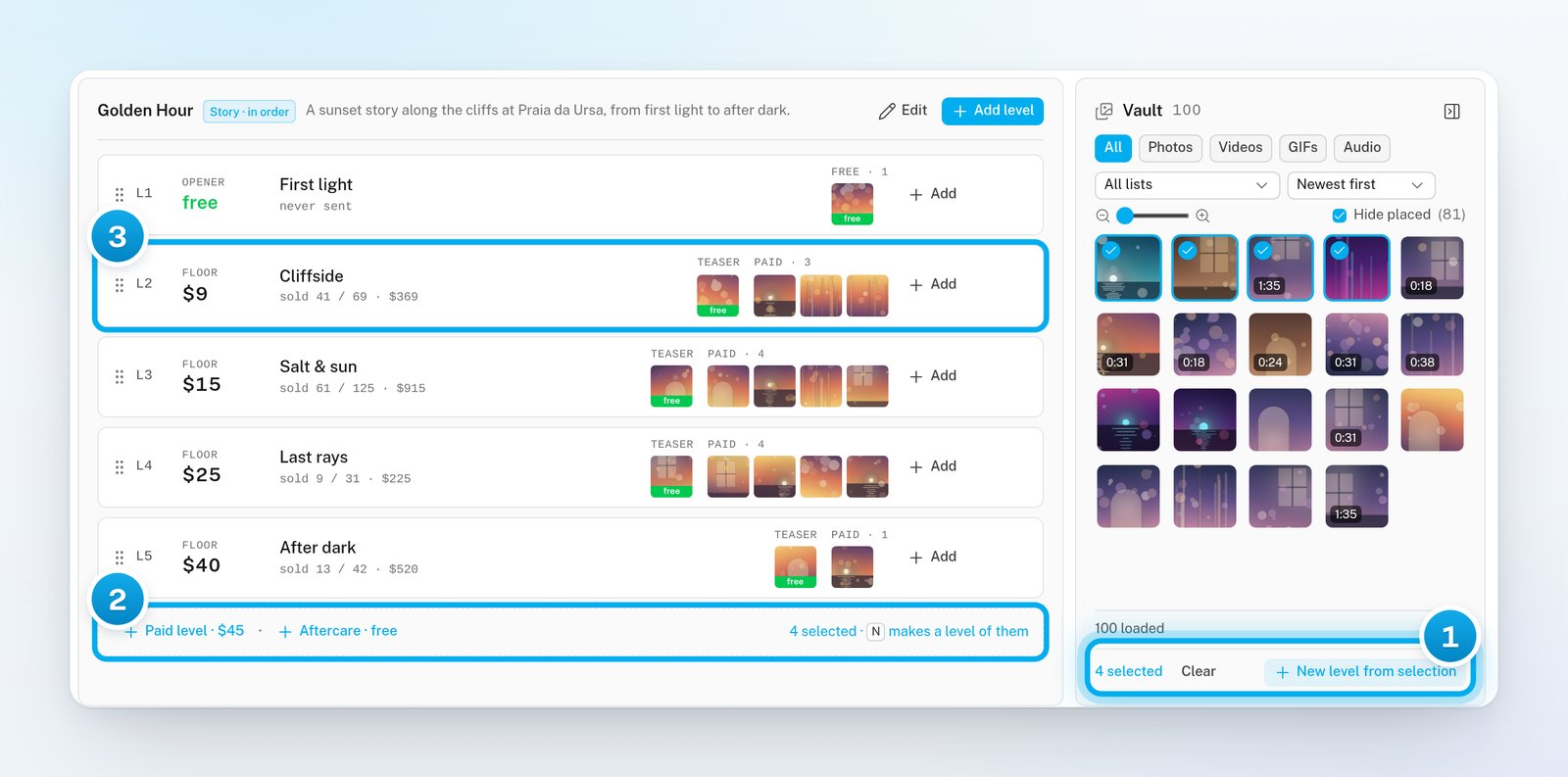
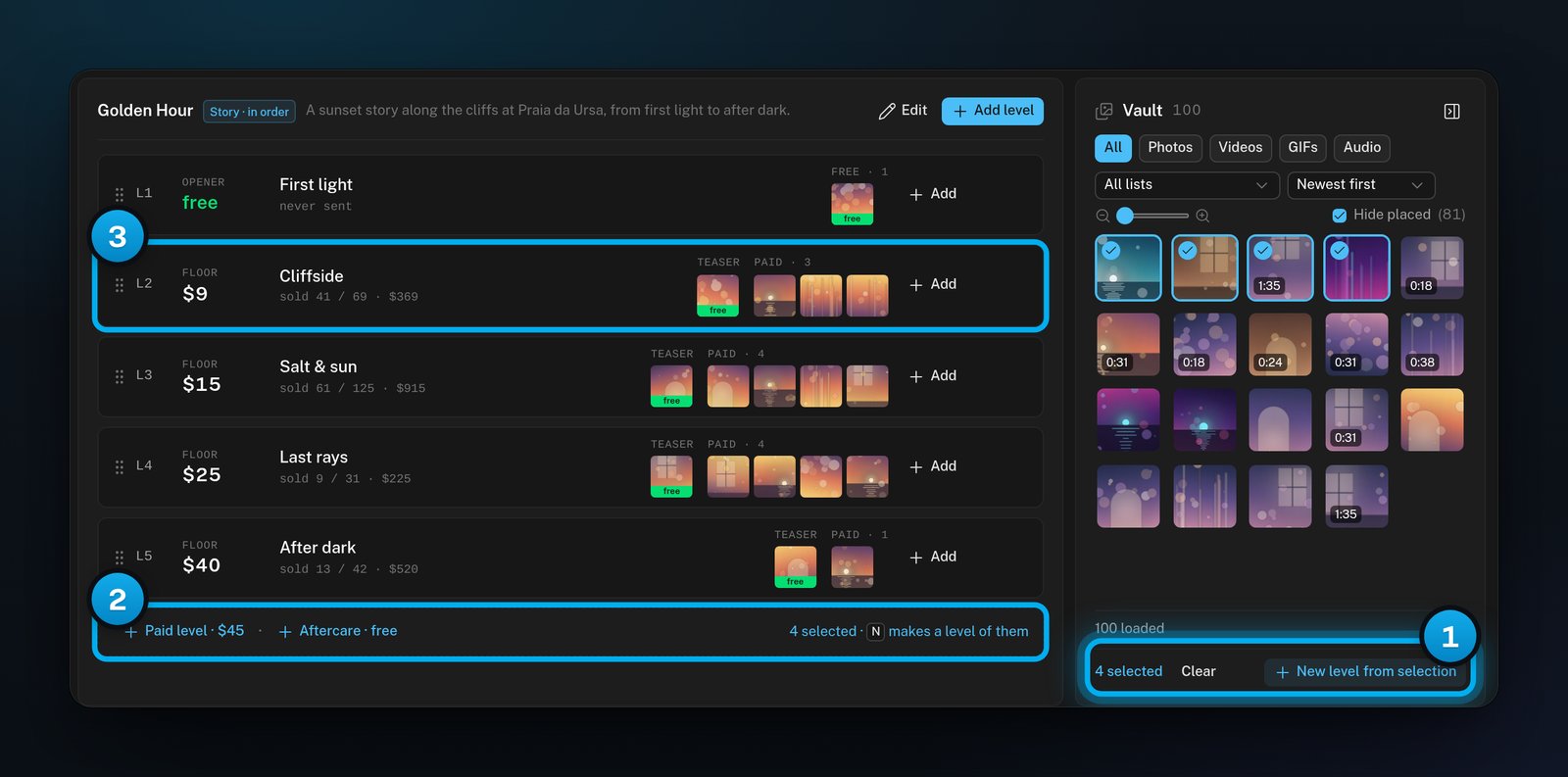
Click a file in the vault. To select a run of files, hold Shift and click the last one. The end of the ladder shows how many files you selected.
1 Your selection · 2 The reminder at the end of the ladder · 3 L2, the level that key 2 fills
4
Place the files
Press a level’s number, such as 2, to put the files behind the price of L2. To make them the teaser, press T, then 2. To put them on a new paid level, press N.The files show on the level at once, and the selection clears.
5
Clear the selection
To start again without placing the files, press Esc.
Focus mode gives the board the whole browser window.
1
Turn on Focus mode
At the top of the board, click Focus, or press F. The board fills the window, and the vault opens next to the ladder.Focus mode stays on when you reload the page.
2
Show the shortcuts
The Focus button is now called Keys. Click Keys to show the list of shortcuts at the top of the board.
Keys opens the list of shortcuts at the top of the board, the same keys as in Keyboard shortcuts. Exit focus leaves Focus mode.
3
Leave Focus mode
Click Exit focus. You can also press Esc when no file is selected.
A paused level or collection keeps everything: its files, name, price and numbers. Hugo skips it until you resume it. We recommend pausing a level that has sales, instead of deleting it.
To pause a level, click the three dots (⋯) on its row. Then select Pause level. In the level editor, you can also turn off Active · Hugo may offer this level and click Save level.
To pause a collection, point to it in the collection list and click its three dots (⋯). Then select Pause collection.
To pause a collection, you can also click Edit at the top of the ladder. Then click Pause in the Pause or delete box. On a phone, this is the only way to pause a collection.
To bring a level or a collection back, select Resume level or Resume collection in the same menu.
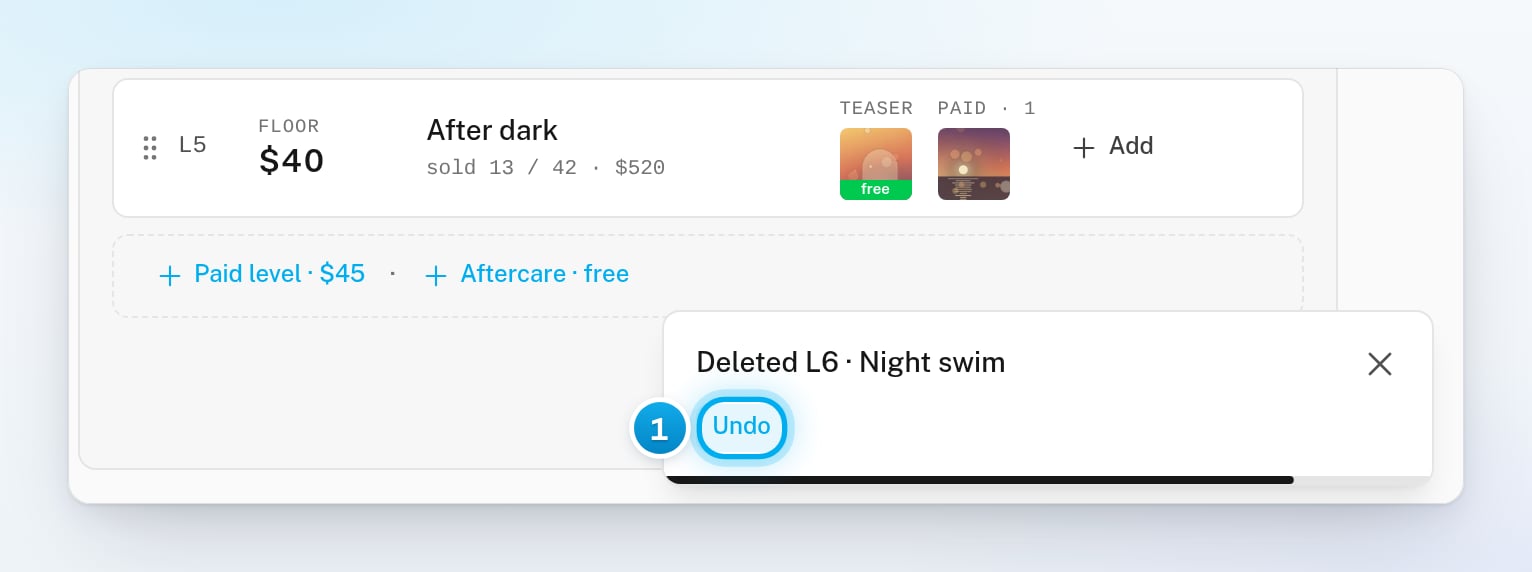
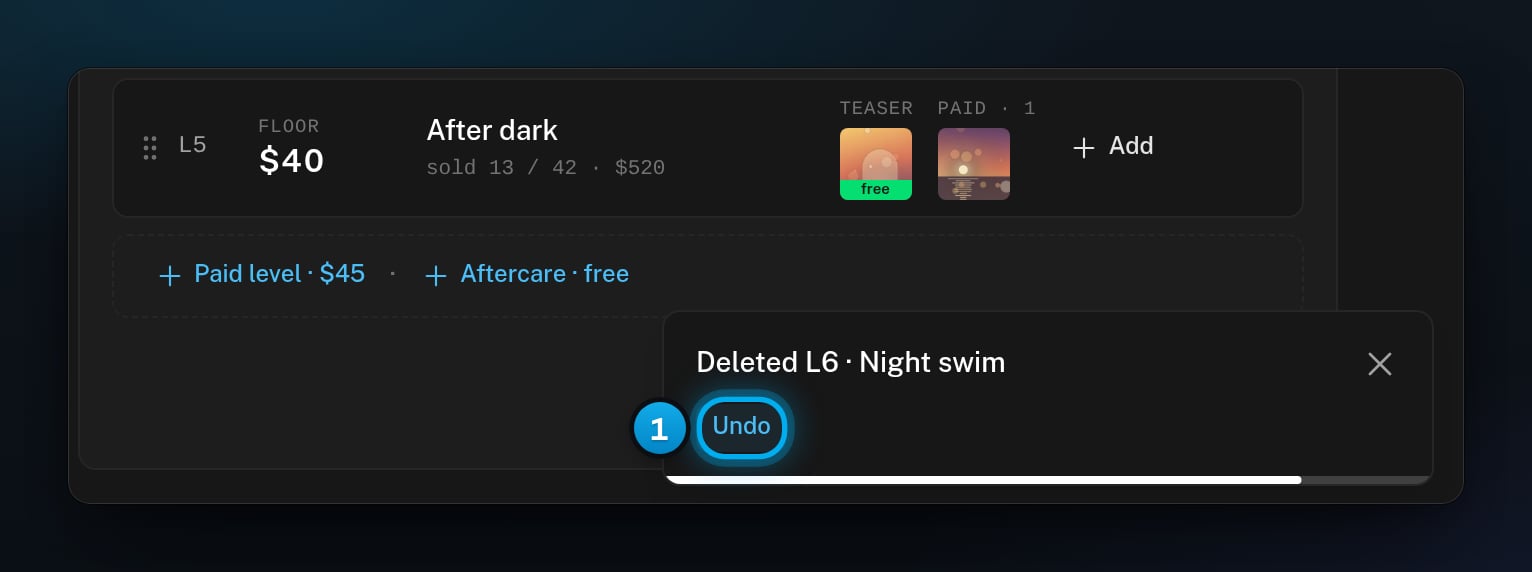
When you delete a level, a collection, a group or a file on a level, a message with Undo appears. Click Undo within 10 seconds to bring it back.
1 Undo, for 10 seconds
If you leave the AI Content tab, or switch to another creator, the delete goes through at once. Undo then no longer works.
What each delete does:
Delete level, in the row’s menu: a level that was never sent goes at once, with Undo. A level that was sent or bought asks first. Its sales stay in reports, and its files stay in the vault. A fan who was about to be offered it gets the next level instead.
Delete collection, in the collection’s menu, always asks first. Its levels go with it, and its files stay in the vault. Hugo stops offering its levels at once, and a fan in the middle of a Story gets no next level.
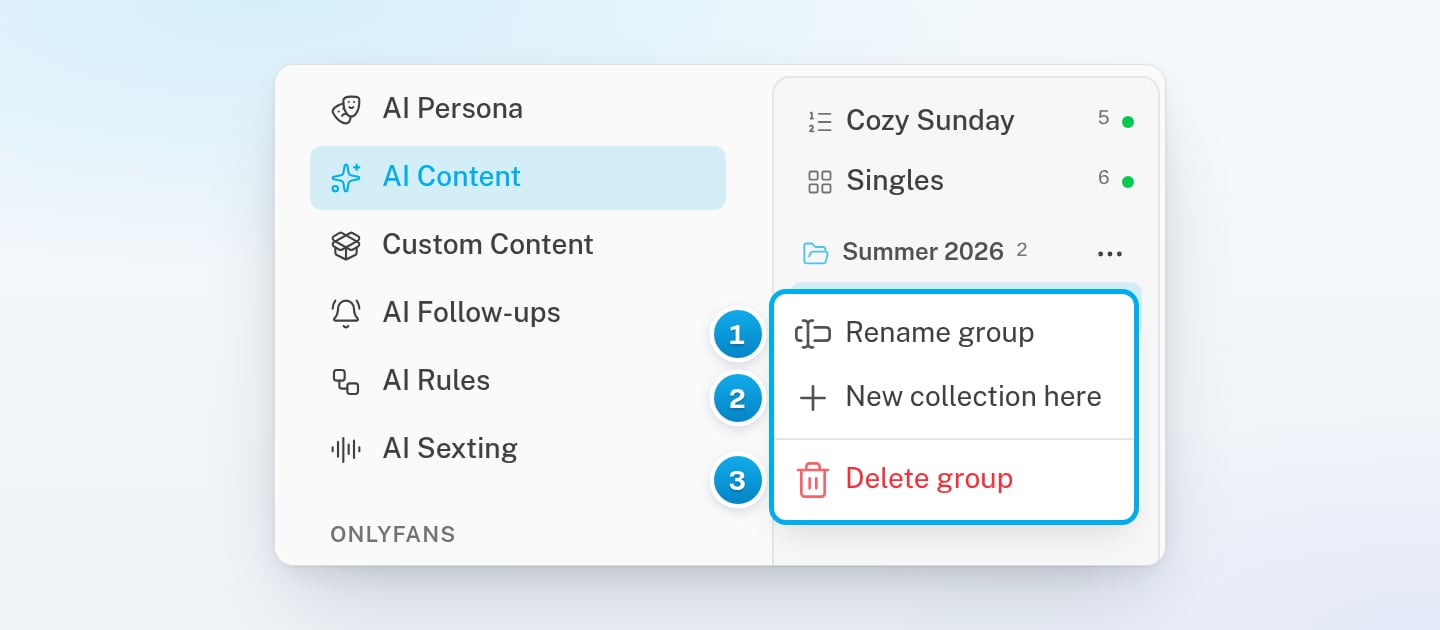
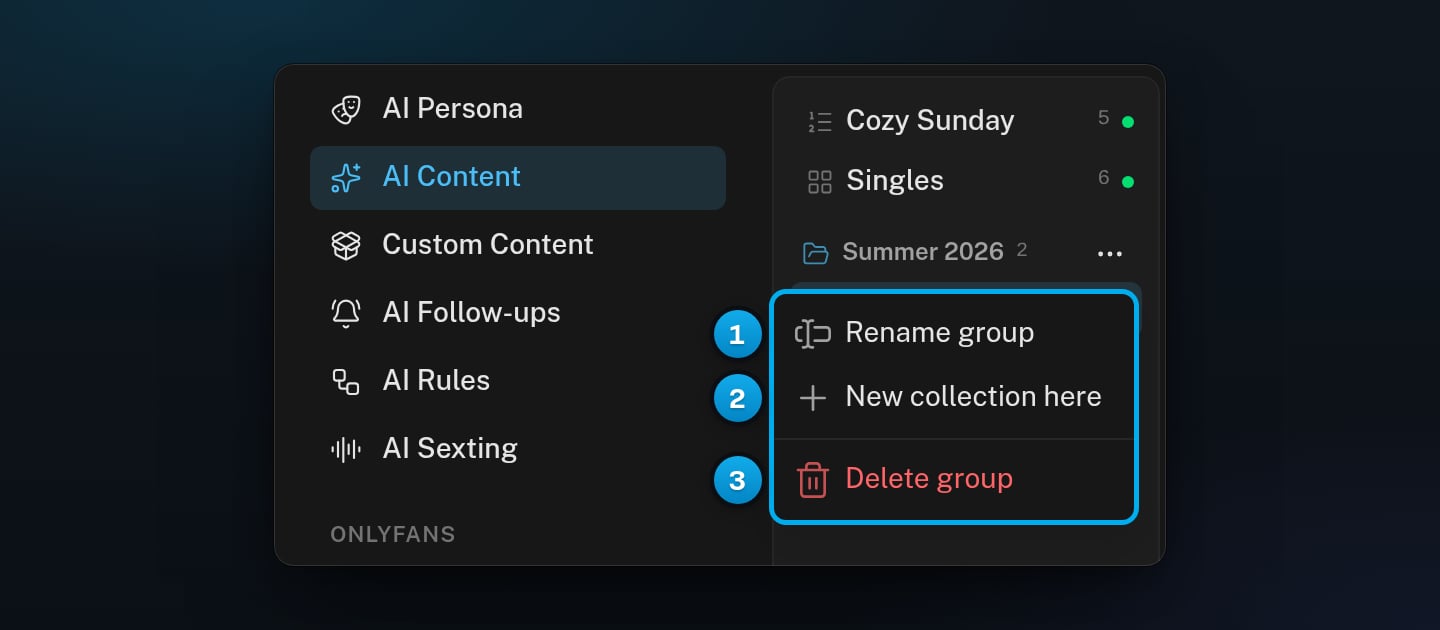
Delete group, in the group’s menu, does not ask. Its collections stay, without a group.
In a window that asks first, Keep it cancels the delete. Only deletes can be undone. Other changes have no undo once they are saved. This covers names and prices changed on the row, files you add or move, and the order of levels.
You pressed a level’s number with no file selected. Click the files in the vault first. The message also says which key to press next.
Nothing happens when I press a key
Check these causes:
You are typing in a box, or a window is open. Close it, or click an empty part of the board.
The level does not exist. For example, 7 does nothing on a collection with four levels.
The browser window is narrower than 1,024 pixels, for example on a phone or a tablet held upright. There the vault does not open next to the ladder, so there are no files to select. Widen the window, or turn the tablet sideways.
I cannot find the Focus button
The Focus button shows only when the browser window is at least 1,024 pixels wide. On a phone, a tablet held upright or a narrow browser window, it is hidden. Widen the window, or turn the tablet sideways.
The Undo button is gone
The 10 seconds have passed, or you left the tab, so the delete went through. Build the level or collection again. Its files are still in the vault, and its sales are still in reports.