Copy the creator’s setup link and send it to her, so she signs in to OnlyFans herself in the OnlyX Login app. No password sharing.
Owners and adminsWith a setup link, the creator signs in to OnlyFans herself, on her own iPhone, Mac or Windows computer. You never need her password. On a Mac or Windows computer, her own camera answers a face check.
In OnlyX, click Creators.The list of your creators opens.
2
Open the creator's menu
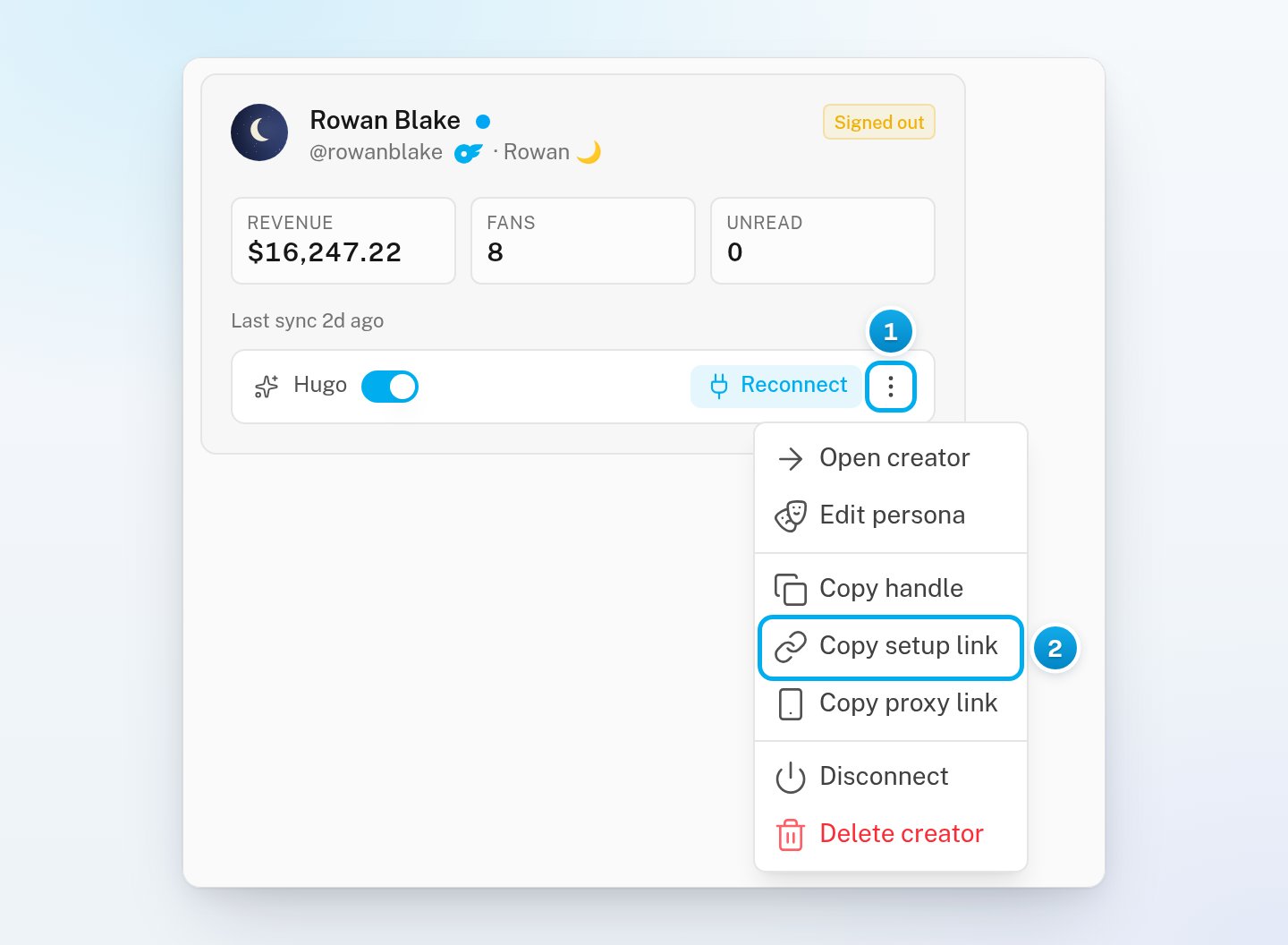
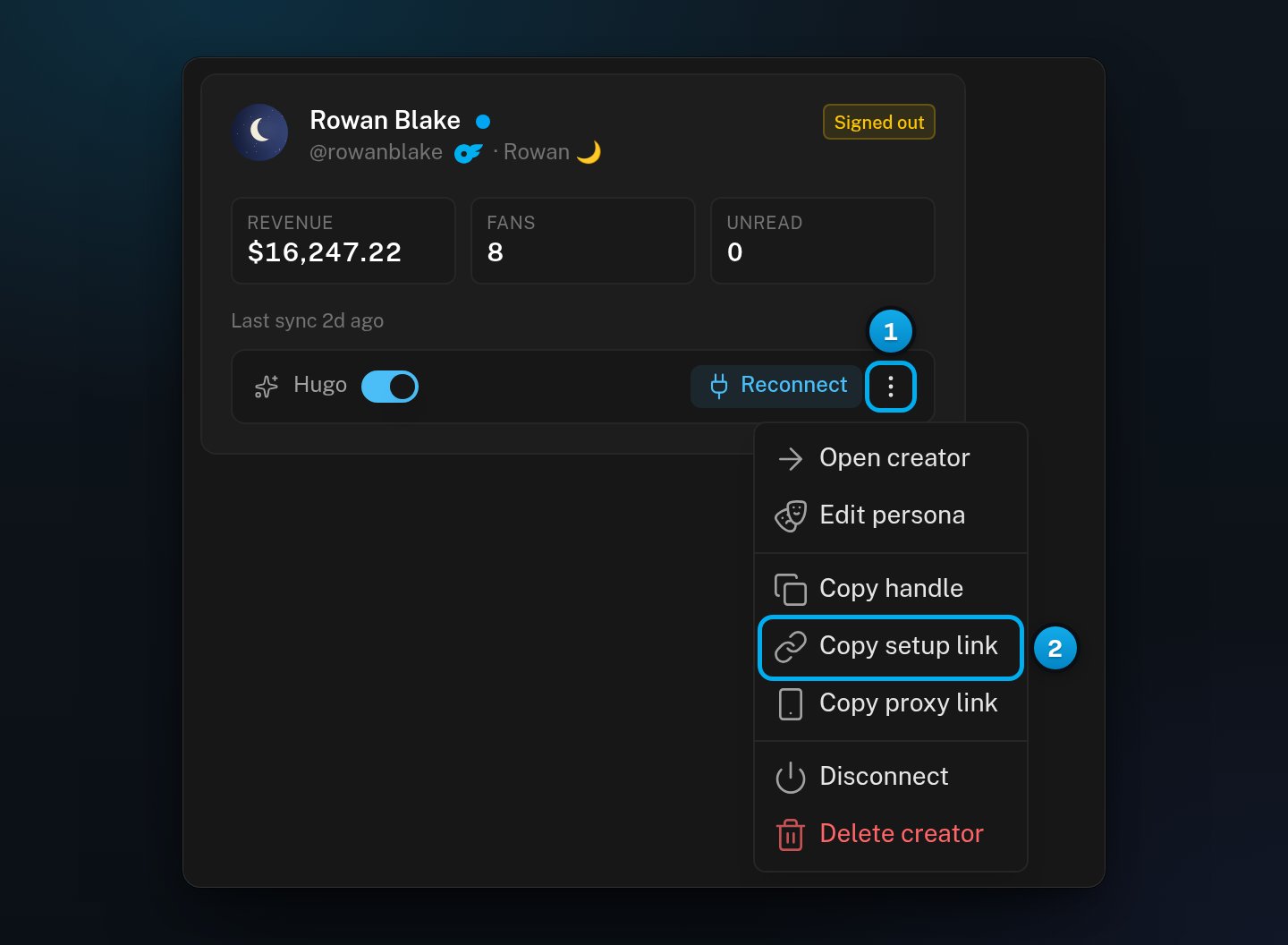
On the creator’s card, click the three-dot menu.The menu opens.
3
Copy the setup link
Select Copy setup link.A message says “Setup link copied”. If a Copy this link window opens instead, your browser did not allow the copy. Select the link in that window and copy it yourself.
1 The creator's menu · 2 Copy setup link
4
Send the link to the creator
Paste the link into any chat with her, such as WhatsApp, Telegram or iMessage. Tell her to open it in the web browser on her iPhone, Mac or Windows computer.
Anyone who has the setup link can sign in to her OnlyFans account. Send it only to her, and never post it in a group chat.
If the sign-in window is already open, you can copy the link there.
1
Open the Connect with App tab
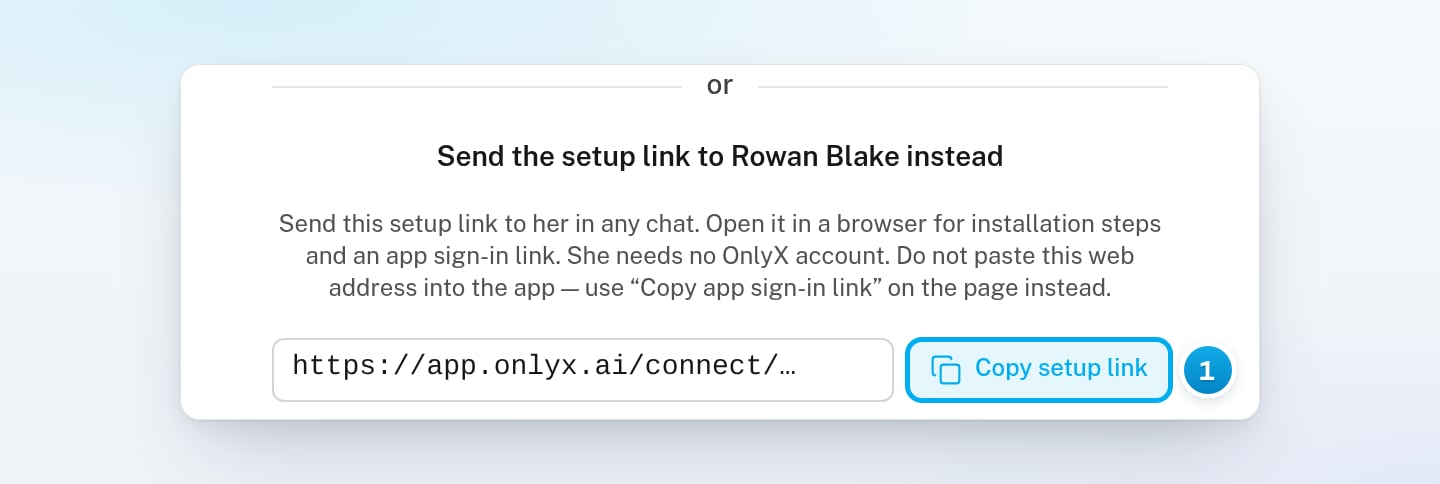
At the top of the sign-in window, click Connect with App.The window shows the OnlyX Login app, and under it the creator’s setup link.
2
Copy the setup link
Next to the link, click Copy setup link. Send the link to her.The box What she’ll see tells you what her page shows on each device.
1 Copy the setup link, then send it to her
3
Optional: Keep the window open
Leave the window open while she signs in. When her session is live, the window closes and her creator page opens.If you close the window, the link keeps working.
If the creator is sitting with you, she can use the app on your computer. In the same tab, install OnlyX Login from Download for Mac or Download for Windows, and open the app once. Then click Open in OnlyX Login, and she signs in there.
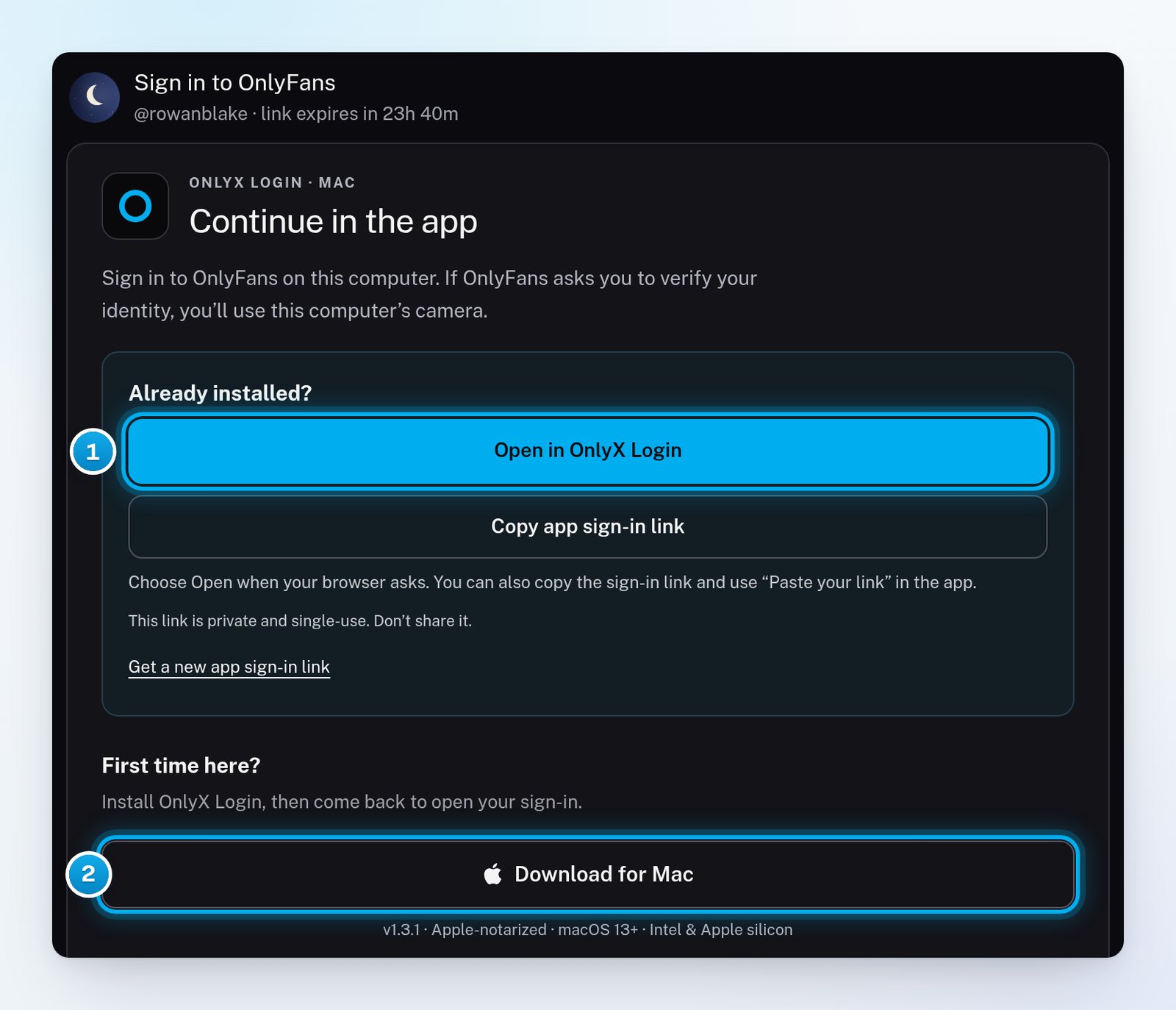
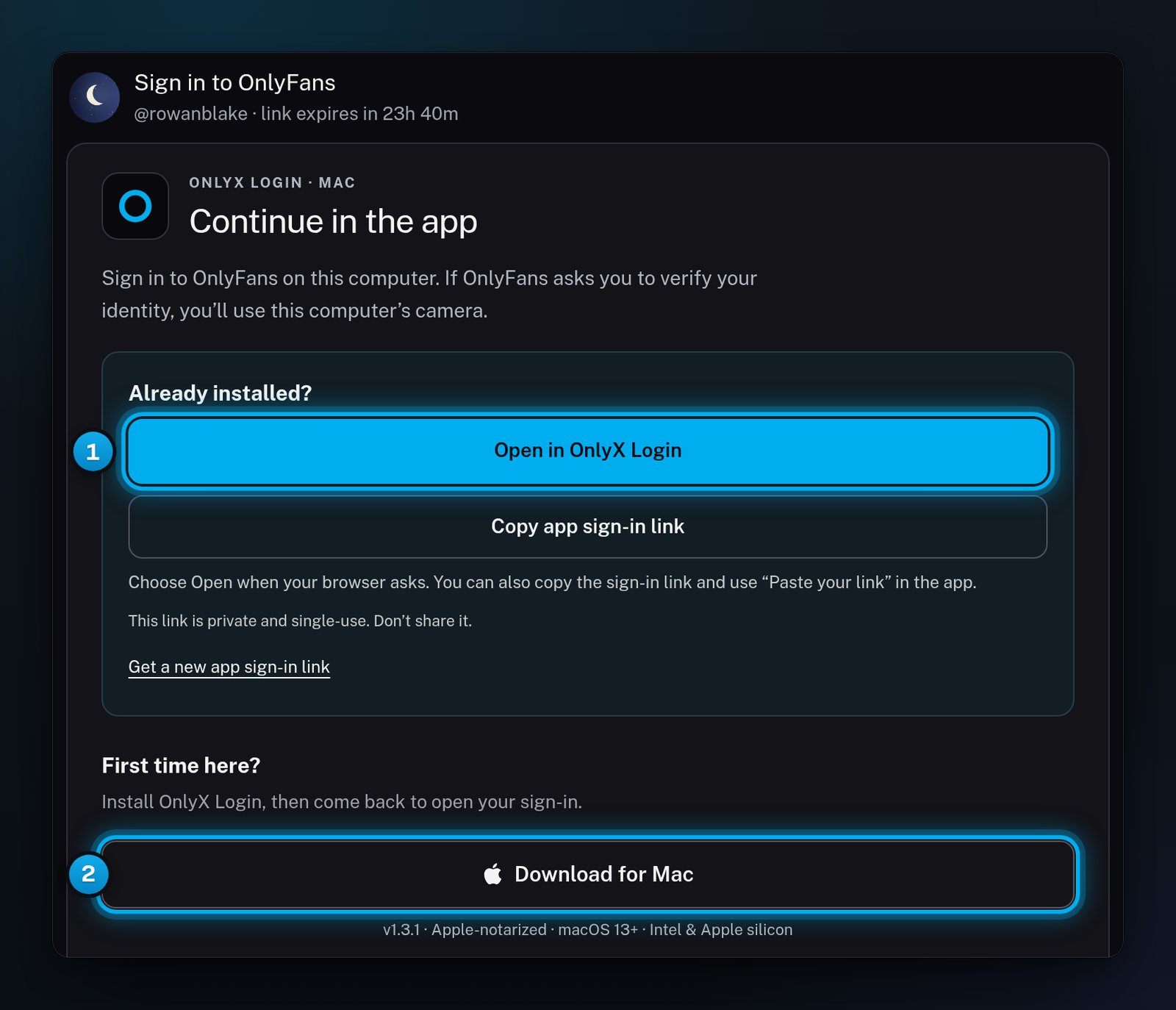
Her page is titled “Sign in to OnlyFans”. It shows her @handle and how long the link has left. The page changes with her device:
On a Mac or Windows computer, she sees Continue in the app. She installs OnlyX Login the first time and opens it once. Then she clicks Open in OnlyX Login and chooses Open when her browser asks.
On an iPhone, she sees Sign in with the OnlyX Login app. She installs the app through TestFlight with Get the app (TestFlight) and opens it once. Then she taps Open in OnlyX Login.
On any other device, such as an Android phone or an iPad, she sees Sign in from one of these. It asks her to open the same link on an iPhone, a Mac or a Windows computer.
She then signs in to OnlyFans inside the app, with her 2FA code. On a Mac or Windows computer, she also does any face check there. When she is done, her page says “You’re connected”. The link is then used up.
1 The button that opens her sign-in in the app · 2 The download for her computer
A Copy this link window opened instead of a message
Your browser did not let OnlyX copy the link. The window shows the link. Select it, copy it, and send it to her.
The iPhone app says "Nothing on the clipboard looks like a connect link"
She copied the setup link and pasted it into the app. The setup link is a web page, and the app takes only its own app sign-in link. She opens the setup link in Safari and taps Open in OnlyX Login. If that does nothing, she taps Copy app sign-in link on the page, then Paste your link in the app.
Her page says "Sign in from one of these"
She opened the link on a device with no OnlyX Login app, such as an Android phone or an iPad. She can open the same link on an iPhone, a Mac or a Windows computer. If she has only an Android phone, send her the proxy link. See Connect with proxy (Happ).
Her page says "Link no longer works"
The link expired, or it is not complete. Copy the setup link again from the creator’s menu and send the new one. See Why doesn’t her connect link work?.
"Could not create the link"
OnlyX could not make a link for this creator. The message says why. Try again in a few minutes. If it keeps happening, email OnlyX support at support@onlyx.ai and include the message.
I copied the link twice. Does the first one still work?
Yes. While a link still works, copying it again gives you the same link.