Owners and admins Move your referral rewards into your workspace balance, where they pay for Hugo. Or ask OnlyX to pay them out to your wallet in USDT.

Before you start

  • You need an owner or admin account.
  • Your Referral balance must be at least $100. From then on, you can move any amount, up to your whole balance.
  • To withdraw, you need a wallet that accepts USDT on the TRON network (TRC20). Its address starts with T and has 34 characters.

Transfer rewards to your workspace balance

1

Open the Referrals page

In OnlyX, click Referrals, at the bottom of the sidebar. On a phone, tap More, then Referrals.The card at the top of the page shows your Referral balance.
2

Open the transfer window

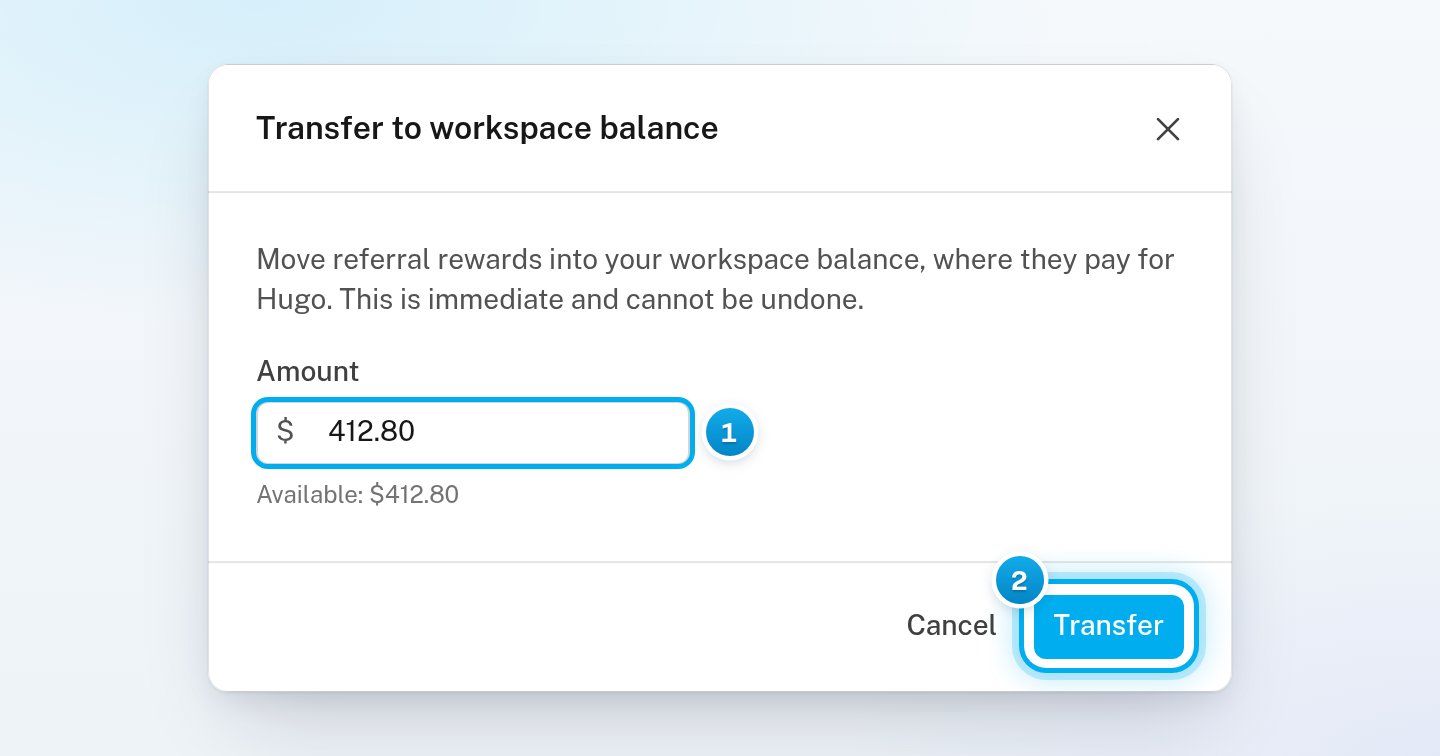
Click Transfer to balance.The Transfer to workspace balance window opens. The Amount field shows your whole balance.
3

Choose the amount

To move less, enter the amount in dollars in Amount. The line under the field shows how much is available.
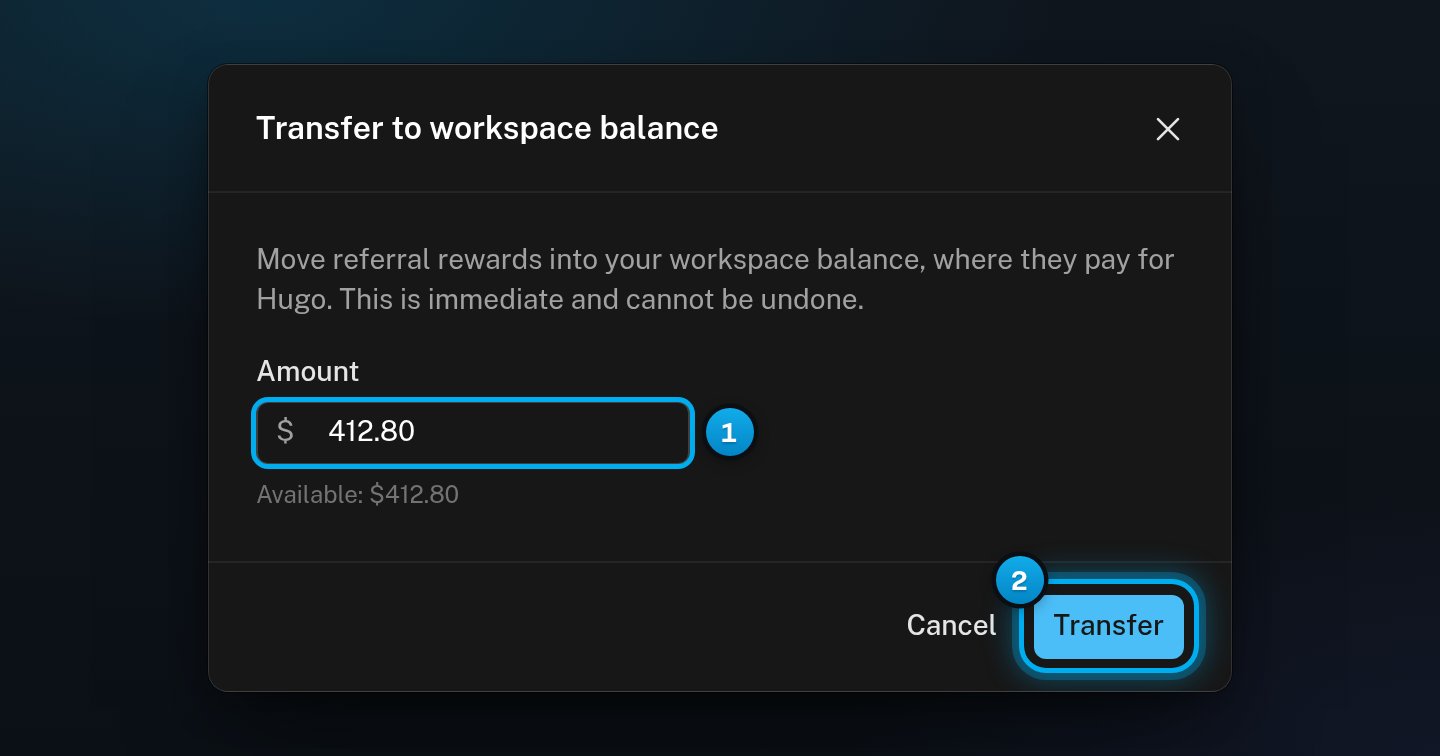
The Transfer to workspace balance window with the whole balance in Amount and the Transfer buttonThe Transfer to workspace balance window with the whole balance in Amount and the Transfer button

1 The amount to move · 2 Transfer

4

Transfer the money

Click Transfer. A message says how much moved to your workspace balance.
A transfer happens at once and cannot be undone. You cannot move the money back to your referral balance.
The money is now part of your workspace’s OnlyX balance, where it pays for Hugo. It shows as follows:
  • In your Reward history: “Moved to workspace balance”.
  • On the Billing page, on the Transactions tab: an Adjustment.
Was Hugo paused because your balance ran out? If the transfer covers what you owe, Hugo works again at once.

Withdraw rewards in USDT

1

Open the withdraw window

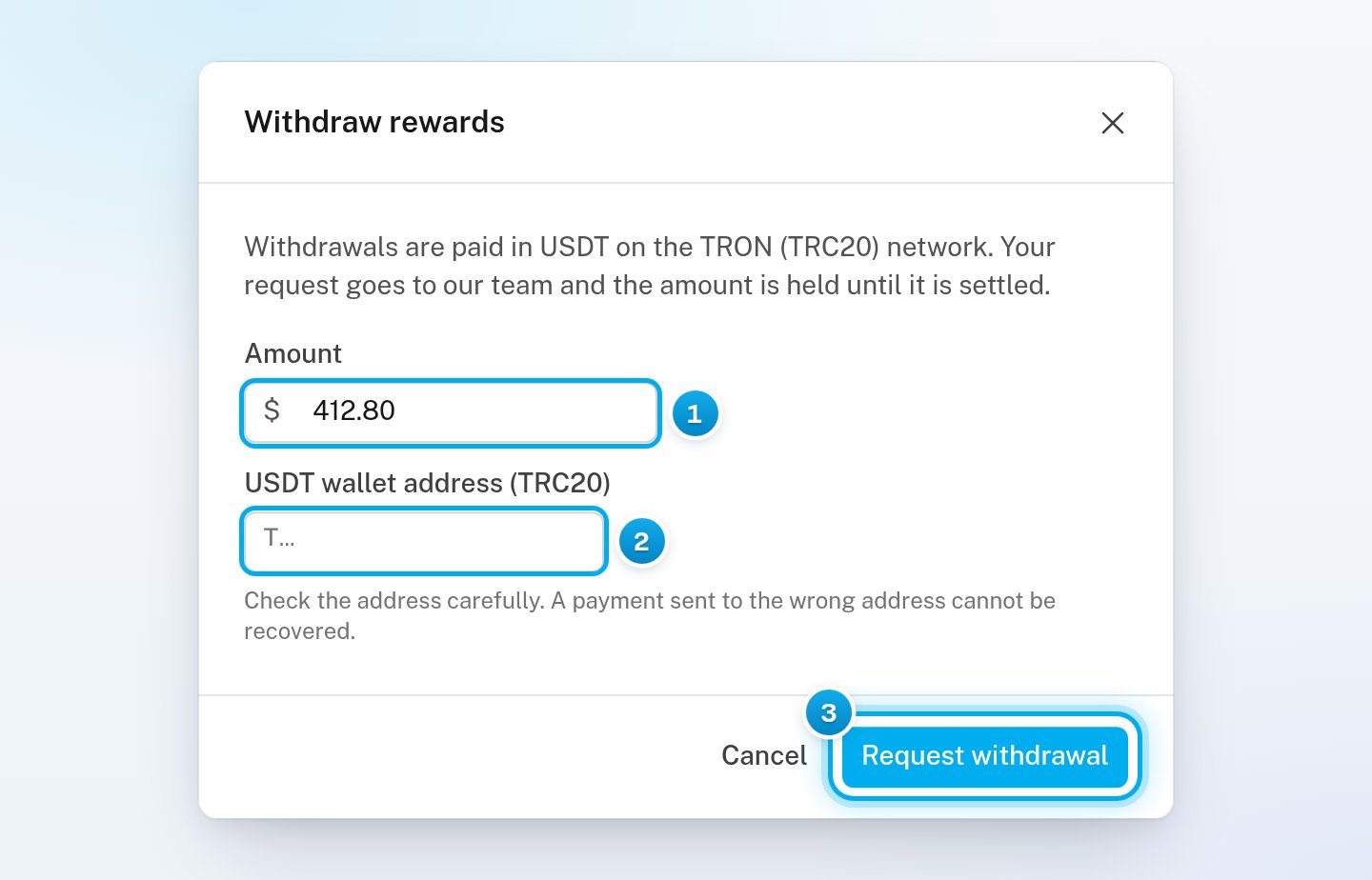
On the Referrals page, click Withdraw.The Withdraw rewards window opens. It says that withdrawals are paid in USDT on the TRON (TRC20) network.
2

Choose the amount

Amount shows your whole balance. To withdraw less, enter the amount in dollars.
3

Paste your wallet address

In USDT wallet address (TRC20), paste the address of your USDT wallet on TRON. Copy it from your wallet: do not type it.
Check the address carefully. A payment to a wrong address cannot be recovered. OnlyX does not send it again. The same goes for a wallet that does not accept USDT on TRC20.
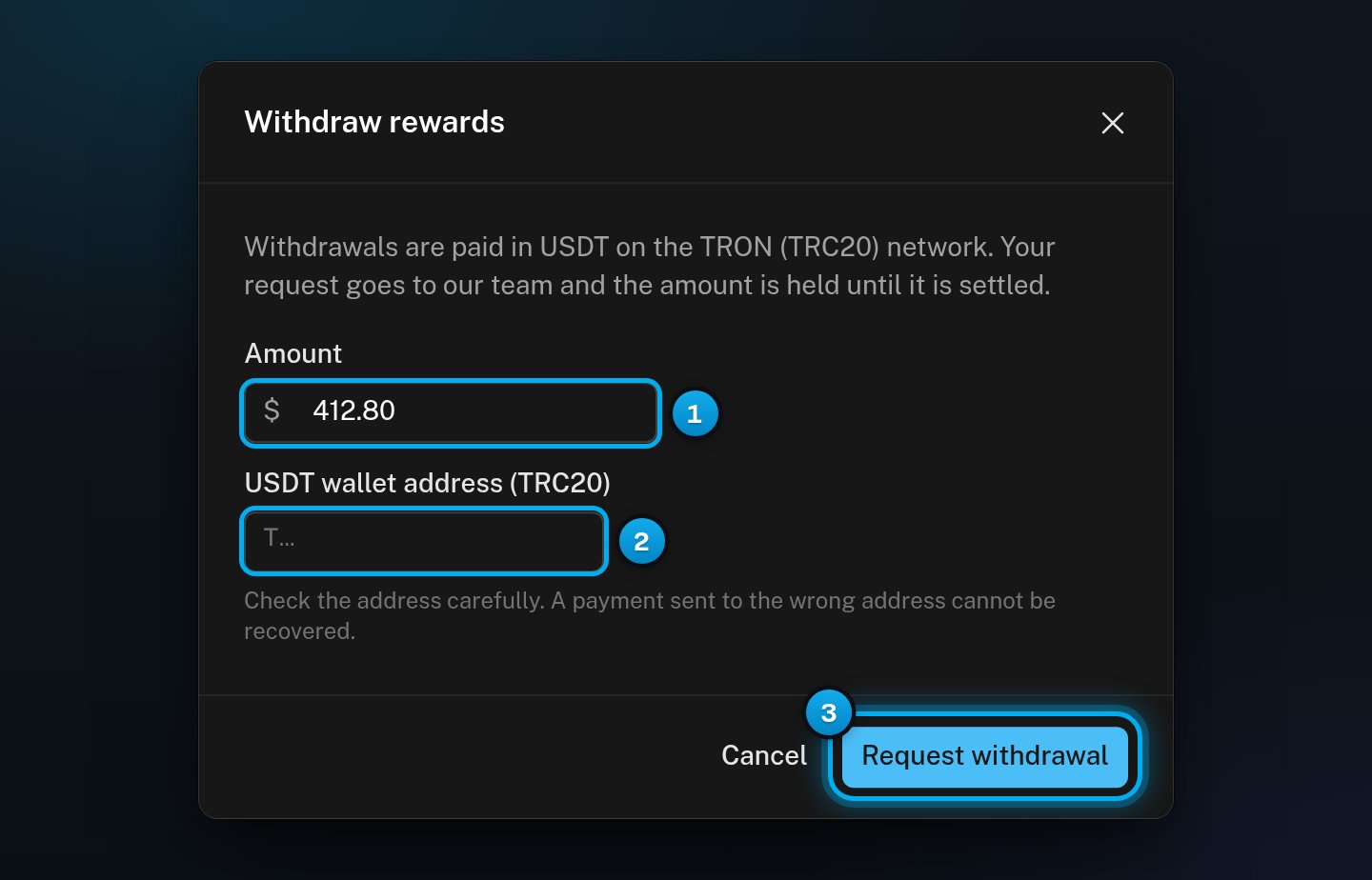
The Withdraw rewards window with the amount, the empty USDT wallet address (TRC20) field and its warning, and the Request withdrawal buttonThe Withdraw rewards window with the amount, the empty USDT wallet address (TRC20) field and its warning, and the Request withdrawal button

1 The amount to withdraw · 2 Your USDT wallet address on TRON · 3 Request withdrawal

4

Request the withdrawal

Click Request withdrawal. The message “Withdrawal requested” shows.The amount leaves your referral balance at once, so it cannot also be transferred. The card shows the withdrawal as pending.
5

Wait for OnlyX to pay it

The OnlyX team checks each request and pays it by hand. Before they pay, they may ask for proof of who you are and where you live. They may also ask for tax details, or proof that the wallet is yours.When OnlyX has paid it, the pending line is gone from the card. Check your wallet for the payment.
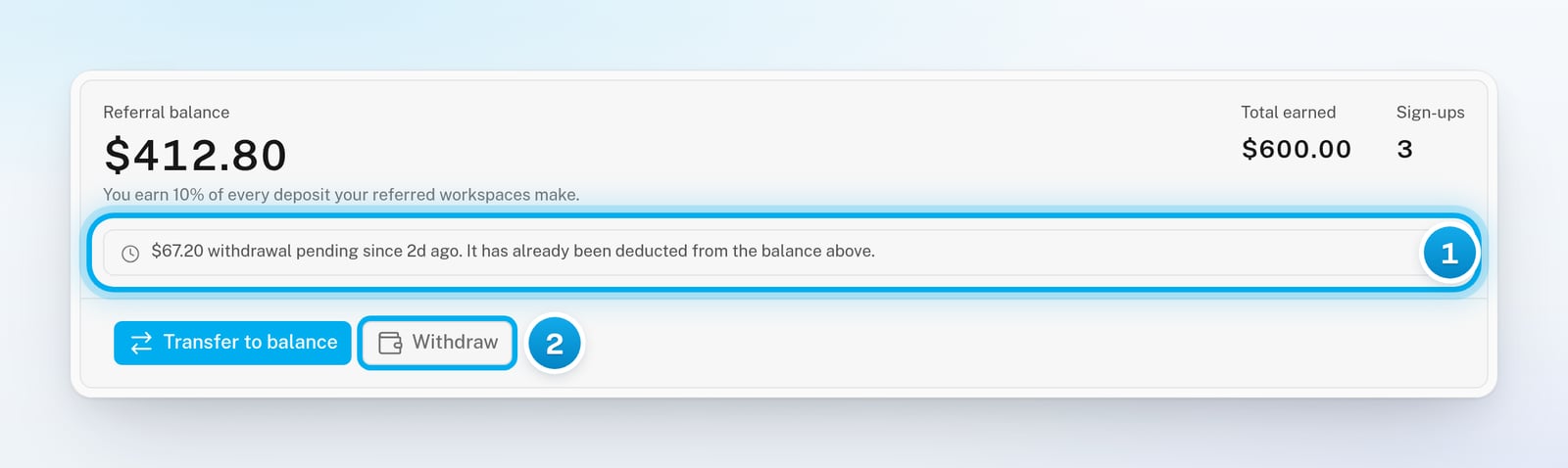
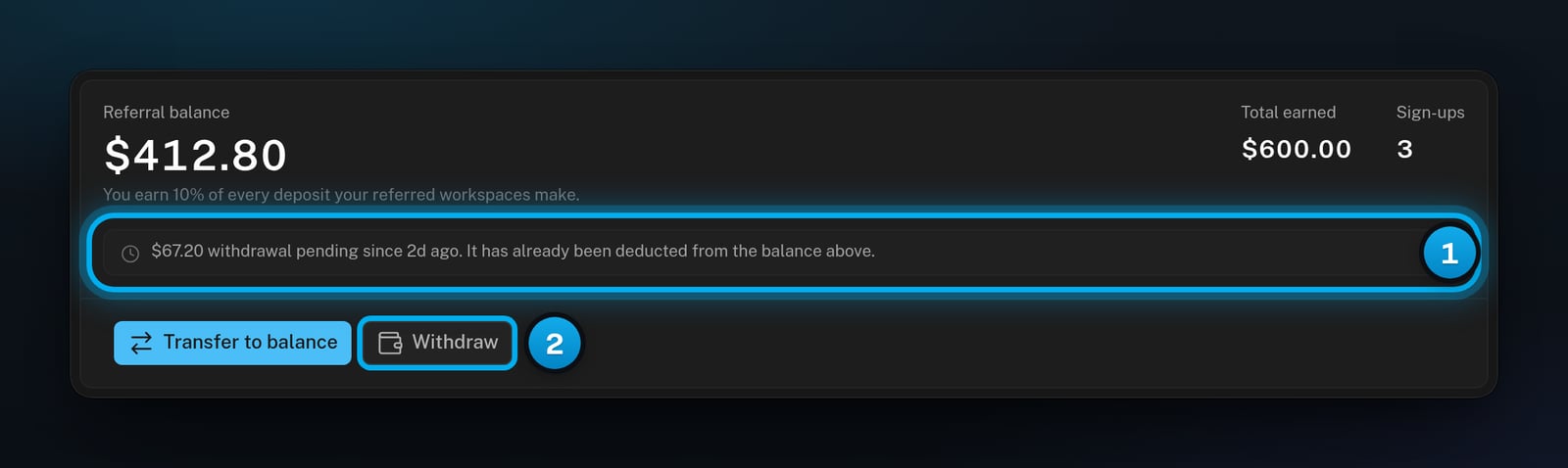
The rewards card with a pending withdrawal already deducted from the balance, and the Withdraw button greyed outThe rewards card with a pending withdrawal already deducted from the balance, and the Withdraw button greyed out

1 Pending: the money has left your balance · 2 Withdraw is greyed out for now

While a withdrawal is pending:
  • The card says “withdrawal pending since”, with the time you asked, and “It has already been deducted from the balance above.”
  • Withdraw stays greyed out. You can have only one pending withdrawal at a time.
  • You can still transfer what is left to your workspace balance, if it is $100 or more.
If OnlyX declines the request, the whole amount comes back to your referral balance. Your Reward history then shows “Withdrawal returned”. Network fees, and any fee your wallet or exchange charges, are yours. When OnlyX support helps you in your workspace, they cannot transfer or withdraw your rewards.

If something goes wrong

Your referral balance is under 100.Thesamelinesayshowmuchismissing,forexample"100. The same line says how much is missing, for example "41.20 to go”. The buttons work as soon as the balance reaches $100.
A withdrawal is already pending. You can request the next one when OnlyX has paid or declined it.
The address is not a TRON address. It may be an address for another network. In your wallet, find your address for USDT on TRON (TRC20). Copy it, and paste it again.
The amount is higher than your balance. Enter a smaller amount. The transfer window shows how much is available.
Your balance fell under $100, for example because another owner or admin moved some rewards. The withdraw window shows the same message with “withdraw”. Close the window and check your Reward history.
A field is empty. Fill it in, then click Transfer or Request withdrawal again.
OnlyX declined the withdrawal and returned the whole amount to your referral balance. To learn why, email support@onlyx.ai. Include the name of the workspace that holds the rewards.
OnlyX could not finish the request. Wait a moment and try again. If it happens again, email support@onlyx.ai and include the message.

What’s next

Earn rewards by referring other agencies

Check your usage report and transactions